
MR-A004 Series USB 2.0 card reader user's manual
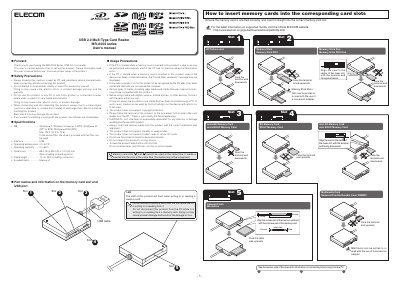
This user manual provides instructions for setting up and using the ELECOM MR-A004 Series USB 2.0 card reader. It includes safety precautions, operating specifications, and step-by-step guidance for connecting the device to a PC and inserting memory cards. The manual also addresses compatibility with various operating systems and explains how to safely eject memory cards to avoid data loss.
The device supports multiple memory card formats including SD, miniSD, MMC, Memory Stick, and xD Picture Card. It is designed for use with Windows 7, Vista, XP, and Mac OS X systems, with specific driver compatibility notes. The manual warns against using the device in humid environments or attempting to disassemble it, and includes troubleshooting steps for when the PC does not recognize the card reader.
| Operating Temperature | 0 to 40°C |
|---|---|
| Operating Humidity | 0 to 80% |
| Dimensions | 59.0 (W) x 59.0 (D) x 14.0 (H) mm (Not including protruding parts) |
| Cable Length | 10 cm (Not including connector) |
| Supported Operating Systems | Windows® 7, Windows Vista® (up to SP2), Windows® XP (SP1 to SP3), Windows® 2000 (SP4); Mac OS X (10.2 to 10.6) |
| Interface | USB |
It is compatible with Windows® 7, Windows Vista® (up to SP2), Windows® XP (SP1 to SP3), Windows® 2000 (SP4), and Mac OS X (10.2 to 10.6).
Do not remove a memory card while the PC is writing to or reading from it. Disconnect the card reader from the PC only after the PC has finished reading or writing.
Disconnect the card reader from the PC and try reconnecting it. If the issue persists, consult the PC manual or manufacturer for further troubleshooting.