
This document is EX-G Wireless Trackball Manual, which introduces the features and characteristics of the product, including left button, right button, tilt wheel, battery compartment, operation mode switch, power indicator, etc.
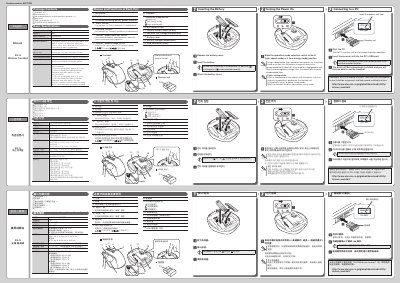
This manual provides instructions for the ELECOM EX-G Wireless Trackball, including package contents, safety precautions, and basic specifications. It details the functions of the trackball buttons, such as the 'Back' and 'Forward' buttons for web browsing, and explains how to switch between high-speed and low-energy modes.
| Resolution | 750/1500 dpi (switchable) |
|---|---|
| Interface | USB |
| Radio frequency | 2.4 GHz band |
| Operation distance (non-magnetic surface) | approx. 10 m |
| Operation distance (magnetic surface) | approx. 3 m |
| Dimensions (Trackball) | 94.7 mm × 124.4 mm × 47.9 mm |
| Supported battery | AA alkaline, AA manganese, AA nickel-metal hydride |
Press the 'Pointer' speed change switch to switch between 750 dpi and 1500 dpi.
The area around the tilt wheel will blink in red for a fixed period of time.