
This is a wireless trackball mouse manual that introduces the mouse's name, function, installation, connection, and use.
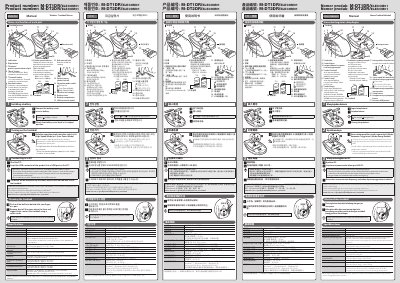
This manual explains how to install batteries, turn on the mouse, and connect it to a PC via USB. It includes details on operating modes (High Speed and Low Power), supported operating systems, and specifications like resolution (750/1500 dpi) and battery life. It also provides safety warnings about handling the USB connector and cleaning the optical sensor.
| Resolution | 750/1500 dpi (switchable) |
|---|---|
| Interface | USB |
| Radio frequency | 2.4 GHz band |
| Radio wave method | GFSK modulation |
| Radio wave outreach | approx. 10 m on non-magnetic surfaces, approx. 3 m on magnetic surfaces |
| Dimensions (W × D × H) | Trackball mouse: approx. 95 × 125 × 48 mm, Receiver unit: approx. 14 × 19 × 5 mm |
| Operating temperature/humidity | 5°C to 40°C/90%RH or less (without condensation) |
| Storage temperature/humidity | -10°C to 60°C/90%RH or less (without condensation) |
| Batteries | AA alkaline dry battery, AA manganese dry battery or AA nickel-metal hydride rechargeable battery |
| Continuous operating time (Low Power Mode) | approx. 125 hours |
| Continuous standby time | approx. 694 days |
| Estimated battery life (Low Power Mode) | approx. 273 days |
| Supported OS | Windows® 10, Windows® 8.1, Windows® RT8.1, Windows® 7, Windows Vista®, Macintosh OS X 10.10 |
Slide the operation mode switch to H or L, start the PC, and insert the USB connector into a USB port. The driver will install automatically.
Windows® 10, Windows® 8.1, Windows® RT8.1, Windows® 7, Windows Vista®, and Macintosh OS X 10.10.