
This is a wireless mouse user manual, which introduces the operations of inserting batteries, turning on the power and pairing with a PC
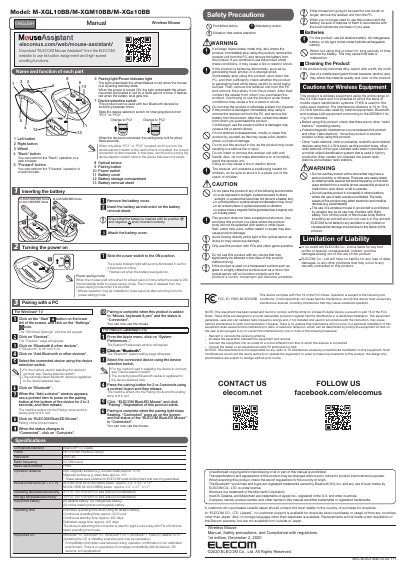
This manual explains how to insert batteries, turn on the mouse, and pair it with a PC using Bluetooth. It covers operating instructions for Windows 10 and macOS Catalina, including device switching between PC1 and PC2. The mouse supports AA alkaline, manganese, or nickel-metal hydride batteries and has a 2.4 GHz radio frequency with FHSS method. Safety precautions are included for proper use and handling.
The mouse features a power-saving mode that activates after inactivity and resumes operation when touched. It includes a pairing button, device selection switch, and optical sensor. The manual also lists supported operating systems, battery life estimates, and environmental conditions for safe operation.
| Resolution | 2000 dpi |
|---|---|
| Radio Frequency | 2.4 GHz band |
| Radio Wave Method | FHSS |
| Operation Distance | Approx. 10 m (non-magnetic surface), approx. 3 m (magnetic surface) |
| Supported Battery | AA alkaline battery, AA manganese battery, AA nickel-metal hydride rechargeable battery |
| Operating Temperature/Humidity | 41°F to 104°F/90%RH or less (without condensation) |
| Supported OS | Windows® 10, Windows® 8.1, Windows® RT8.1, Windows® 7, macOS Catalina 10.15 |
Approximately 10 meters on non-magnetic surfaces and 3 meters on magnetic surfaces.
AA alkaline, AA manganese, or AA nickel-metal hydride rechargeable batteries.
Windows 10, Windows 8.1, Windows RT 8.1, Windows 7, and macOS Catalina 10.15.