
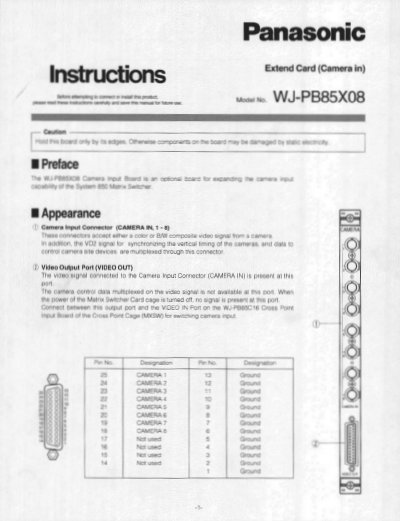
This document provides installation instructions for the Panasonic WJ-PB85X08 Camera Input Board. It details how to configure DIP switches on the board to designate the specific camera input number (1-16) and explains how to set jumpers when a Character Board is installed.
The guide also covers the physical installation process into the Matrix Switcher Card Cage, including removing panels, seating the boards firmly along guides, and securing them with screws.
| Camera Input Signal | 1.0 Vp-p/75Ω composite video signal |
|---|---|
| Video Output Signal | 1.0 Vp-p/75Ω composite video signal |
| Connector Type | 25-pin D-sub connector |
| Front Board Dimensions | 255(W) x 250(H) x 12(D) mm |
| Weight | 0.6 kg (1.3 lbs) |
The factory default setting is Board Number 1.
The connectors accept either a color or B&W composite video signal from a camera, along with vertical timing synchronization and data signals.
The front board measures 255 mm in width, 250 mm in height, and 12 mm in depth.
The unit weighs approximately 0.6 kg, which is equivalent to 1.3 lbs.