
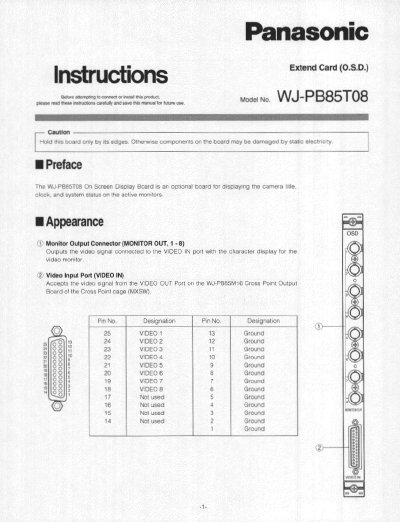
This document provides instructions for the Panasonic WJ-PB85T08 On Screen Display Board, an optional board for displaying camera titles, clock, and system status on active monitors. It details the board's appearance, including monitor output and video input ports, and explains how to configure the board number using switches SW1 and SW2.
| Video Input Connector | 8 inputs 25-pin D-sub connector |
|---|---|
| Video Output | On Screen Display |
| Display Types | 3 display types selectable |
| Line Type | 1 Line, 30 alphanumeric characters maximum |
| Front Board Dimensions | 255(W) x 250(H) x 12(D) mm |
| Rear Board Dimensions | 117.5(W) x 265(H) x 20(D) mm |
| Weight | 0.6 kg (1.3 lbs) |
The factory default setting is Board Number 1 (00).
Installation should be made by qualified service personnel or system installers.
Switch SW3 should be set to the OFF position.