
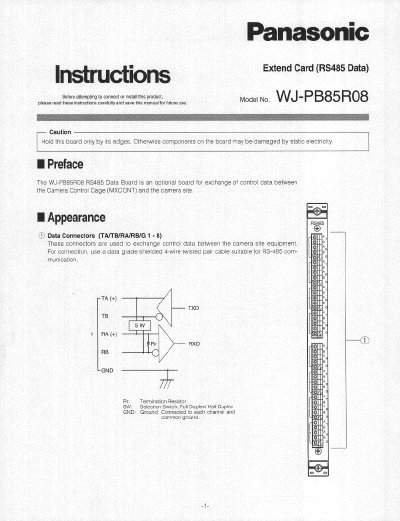
Panasonic WJPB85R08 RS-485 Data Board Installation Instructions


Panasonic WJPB85R08 RS-485 Data Board Installation Instructions - cover page
Brand
Panasonic
Category
other commodities
Document type
User Manual
Language
English
Pages
4
File format
PDF
File size
387 KB
Published
08 August, 2012
Updated
20 August, 2012
MD5 checksum
CC7B1EB758F3401EEFBAA85E27D30E9B

About this manual

This document provides installation instructions for the Panasonic WJPB85R08 RS-485 Data Board, an optional component designed to exchange control data between a Camera Control Cage (MXCONT) and camera site equipment. The manual details how to physically install the board into the cage and secure it properly.

What's inside

  • Preface
  • Appearance
  • Board Setting
  • Installation
  • Installing Additional Extension Boards

Specifications

Data Input/Output Channels8 channels (1-8)
Communication ModeFull Duplex or Half Duplex selectable
Transmission Speed (Baud Rate)1200 - 19200 bps
Weight0.5 kg (7.7 lbs)

Frequently asked questions

What is the factory default setting for the board number?

The factory default setting is Board Number 1.

What type of cable is required for the data connectors?

A data grade shielded 4-wire twisted pair cable suitable for RS-485 communication must be used.

What is the weight of the board?

The board weighs 0.5 kg (7.7 lbs).

Download PDF (387 KB)

More Panasonic Manuals


View all Panasonic manuals →