
This document is about the replacement instructions of iMac G5 Memory, 20-inch, which describes how to replace the memory modules.
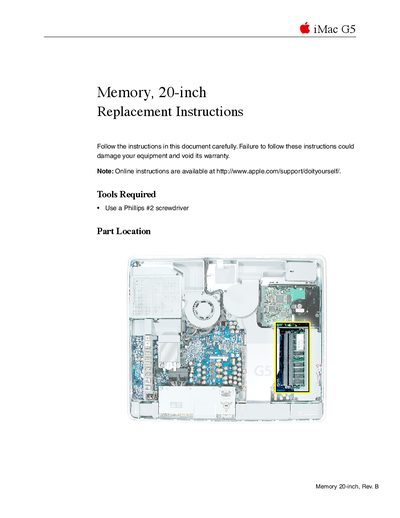
This document provides step-by-step instructions for replacing or installing memory modules in an Apple iMac G5 20-inch computer. It details the specific technical requirements for compatible RAM, such as PC3200 speed and unbuffered status, and lists the necessary tools like a Phillips #2 screwdriver.
The guide covers the entire process from powering down the device to reassembling it. Key steps include discharging static electricity before handling internal components, removing the back cover by loosening captive screws, extracting existing memory modules, installing new ones until they click into place, and securing the case.
The computer works with PC3200, 2.5V, unbuffered, 8-byte, nonparity, 184-pin, 400Mhz DDR SDRAM modules.
The maximum amount of RAM you can install is 2 GB.
You may use a Phillips #1 screwdriver or the tool provided to loosen the captive screws.