
Apple iMac (Flat Panel) Memory SO-DIMM Installation Instructions

This document provides installation instructions for iMac (Flat Panel) memory, including operating procedures and tool requirements.
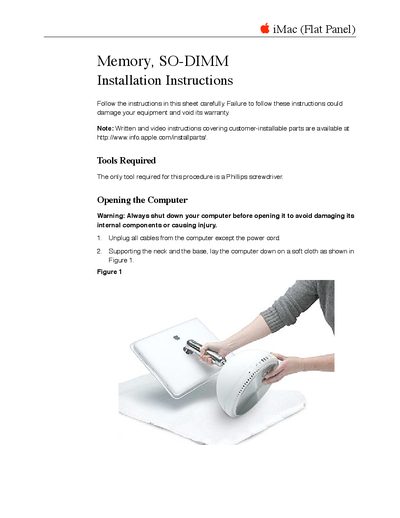

Apple iMac (Flat Panel) Memory SO-DIMM Installation Instructions - cover page
Brand
Apple
Category
All-in-One Desktops
Document type
Installation Guide
Language
English
Pages
6
File format
PDF
File size
183 KB
Published
05 June, 2012
Updated
28 September, 2023
MD5 checksum
0DE3B73CF063748D1D3D35F717EC0CDE

About this manual

This document provides step-by-step instructions for installing a SO-DIMM memory module into an Apple iMac (Flat Panel). It details the necessary tools, safety precautions regarding electrostatic discharge and overheating, and the specific procedure for opening the computer case to access the memory slot. The guide covers both adding new modules and replacing defective ones.

What's inside

  • Tools Required
  • Opening the Computer
  • Electrostatic Discharge Warning
  • Installing the Memory Module
  • Closing the Computer

Frequently asked questions

What tool is required for this installation?

The only tool required for this procedure is a Phillips screwdriver.

How do you know the memory module is installed correctly?

You will hear it click into place under the two locking tabs on the sides of the slot.

What should be done before opening the computer?

Always shut down your computer and unplug all cables except the power cord to avoid damage or injury.

Download PDF (183 KB)

More Apple Manuals


View all Apple manuals →