
This document provides instructions for replacing the lower fan of the iMac G5, 17-inch (Ambient Light Sensor), including the required tools, part location, important things to know, and the process of opening the computer.
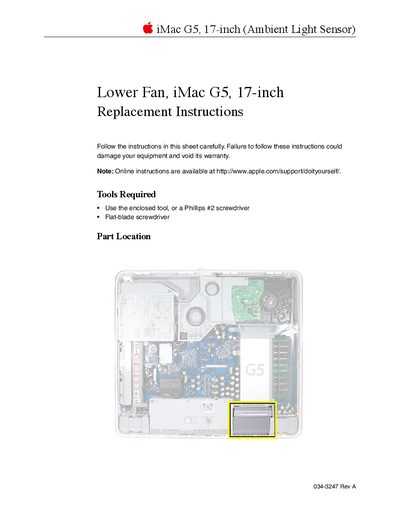
This document provides step-by-step instructions for replacing the lower fan in an iMac G5, 17-inch (Ambient Light Sensor) model. It details the necessary tools, safety precautions regarding static electricity and liquids, and the specific procedure to access the internal components.
The guide covers opening the computer case by loosening captive screws on the stand, removing the old fan assembly by disconnecting the logic board connector and manipulating locking clips, installing the new fan, and reassembling the unit.
You need either the enclosed tool or a Phillips #2 screwdriver, along with a flat-blade screwdriver.
You must use a flat-blade screwdriver to raise up the clip approximately 1/4 inch.
You must ground yourself by touching the metal surface on the inside of the computer to discharge static electricity.