
This document provides replacement instructions for the upper fans of the iMac G5 17-inch model, including steps and precautions.
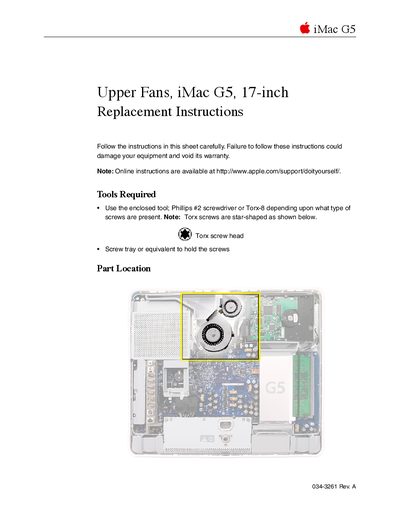
This document provides detailed instructions for replacing the upper fans in an Apple iMac G5 17-inch computer. It lists the necessary tools, such as a Phillips #2 screwdriver or Torx-8 tool, and emphasizes safety precautions like grounding yourself to prevent static electricity damage.
The guide covers the complete disassembly process, including removing the back cover, accessing the fan assembly, disconnecting cables, and installing the new fans. It concludes with steps for reassembling the computer and verifying proper operation.
You need an enclosed tool or a Phillips #2 screwdriver or Torx-8 depending on the screws present, plus a screw tray.
Touch the metal surface on the inside of the computer to discharge any static electricity.
You must remove the screws from the rubber grommets to take out the replacement fan.