
This is a document of Rev. D iMac G5 hard drive replacement instructions. The document provides detailed steps and precautions to help users replace the hard drive correctly, avoiding equipment damage and warranty void. The document also mentions some important things to know, such as screw color, tool requirements, grounding, etc. It is worth noting that this document is applicable to 20-inch iMac G5 models.
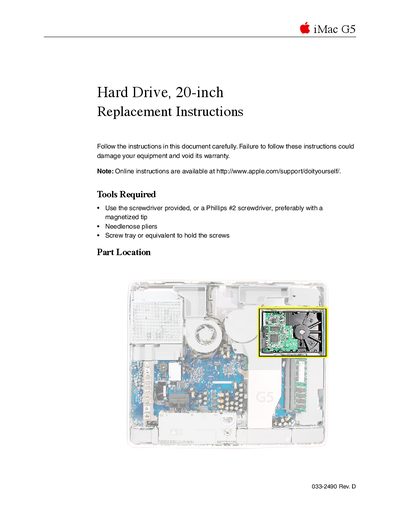
This document provides detailed instructions for replacing the hard drive in an Apple iMac G5 (20-inch) computer. It lists the necessary tools, such as a Phillips #2 screwdriver and needlenose pliers, and emphasizes safety precautions like grounding yourself to prevent static electricity damage.
The guide covers the complete process of opening the computer case by loosening captive screws on the back cover, removing the original hard drive from the midplane assembly, and installing the replacement unit. It also includes brief steps for reinstalling Mac OS 9 if desired.
You need a Phillips #2 screwdriver (preferably with a magnetized tip), needlenose pliers, and a screw tray or equivalent to hold the screws.
Touch the metal surface inside the computer to discharge any static electricity before touching parts.
You must return the removed hard drive to Apple using the packaging provided.