
NEC LT170 Quick Start Guide

This document is the user manual for NEC Viewtechnology, Ltd. 7N8P3311 projector.
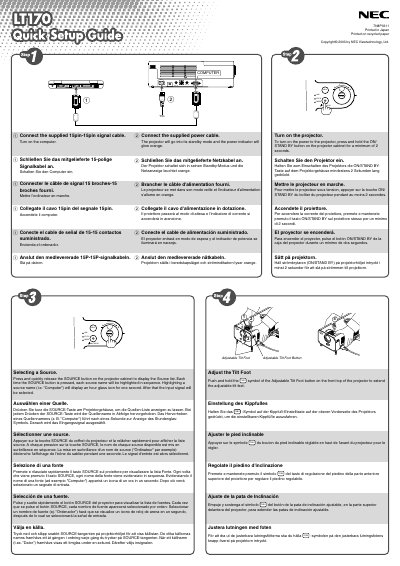

NEC LT170 Quick Start Guide - cover page
Brand
NEC
Category
Other
Document type
Quick Start Guide
Language
English
Pages
2
File format
PDF
File size
641 KB
Published
10 May, 2012
Updated
30 September, 2023
Model
LT170
MD5 checksum
EA54848155D36128453FCD1B52F3FD8C

About this manual

This guide explains how to connect the NEC LT170 projector to power and a 15‑pin signal cable, turn it on, and select the desired video source. It also describes the adjustable tilt foot for positioning the projector.

Additional sections cover automatic vertical keystone correction (up to ±30°), zoom and focus adjustments, and how to use the MENU and ENTER buttons to automatically optimize the RGB image.

What's inside

  • Connecting the projector
  • Turning the projector on
  • Selecting a source
  • Adjustable tilt foot
  • Auto keystone correction
  • Zoom and focus adjustment
  • RGB image optimization

Specifications

Keystone correction range±30° vertical

Frequently asked questions

How can I correct keystone distortion on the projector?

Place the projector on a flat surface; the vertical keystone can be corrected up to 30° upward or downward.

Download PDF (641 KB)

More NEC Manuals


View all NEC manuals →