
This document introduces the connection and use of the LT150Z projector.
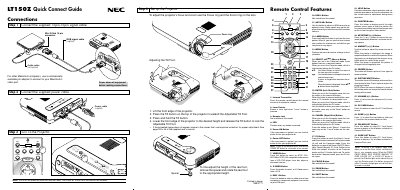
The guide provides step‑by‑step instructions for connecting the supplied 15‑pin spin signal cable, power cable, and RGB signal cable, as well as how to adjust the projector's focus, zoom, and tilt foot. It also explains how to power the unit and turn it off safely.
Additional sections cover the remote control layout, menu tree navigation, troubleshooting tips, and common problems such as power‑up errors, lamp life warnings, and image adjustments like keystone correction.
| Power cable | supplied |
|---|---|
| Audio cable | not supplied |
| RGB signal cable | supplied |
| Mini D‑Sub 15‑pin connector | included |
| Infrared transmitter (remote) | present |
| Laser pointer button | present |
Press and hold the Power OFF button for at least two seconds.