
This document introduces the connection and use of the multi-screen display MultiSync LT156/LT155/LT154
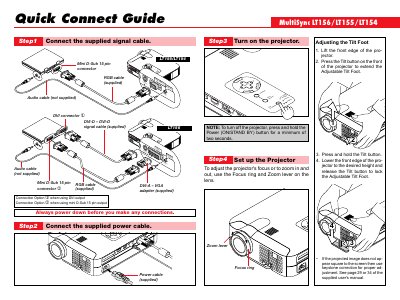
The Quick Connect Guide walks you through the basic setup of the NEC LT156 projector, including connecting the supplied signal, power, and optional audio cables, adjusting the tilt foot, focus, and zoom, and powering the unit.
It also describes the remote‑control functions and menu options such as Auto Adjust, keystone correction, lamp hour meter, communication speed settings, and source selection, helping you configure image and system settings quickly.
| Communication Speed options | 4800, 9600, 19200, 8400 bps |
|---|
Press and hold the POWER OFF button for a minimum of two seconds.
Press and hold the Laser button on the remote to activate the laser pointer.