
NEC lt180 Projector Quick Setup Guide

This is the user manual for a NEC 7N8P5551 monitor
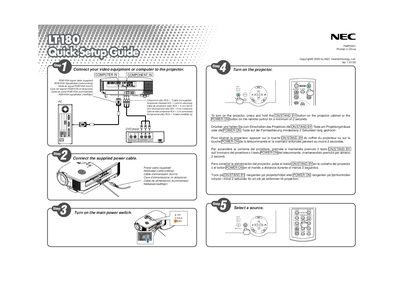

NEC lt180 Projector Quick Setup Guide - cover page
Brand
NEC
Document type
Quick Start Guide
Language
English
Pages
2
File format
PDF
File size
508 KB
Published
10 May, 2012
Updated
30 September, 2023
Model
LT180
MD5 checksum
8F3EDA1B5B0B6F93290FBBE790DBA669

About this manual

This guide provides the essential steps to get the NEC lt180 projector up and running. It includes multilingual instructions for powering the unit and basic connection options.

The document lists the available video inputs (RGB/VGA) and describes how to select the correct source. It also gives brief safety notes and button functions for the projector cabinet and remote control.

What's inside

  • Power On Procedure
  • Video Input Connectors
  • Remote Control Buttons
  • Safety Information

Frequently asked questions

What video input connectors are supported?

The projector accepts RGB and VGA video signals.

Download PDF (508 KB)

More NEC Manuals


View all NEC manuals →