
This document is the specification of the Platform Cable USB product of Xilinx company.
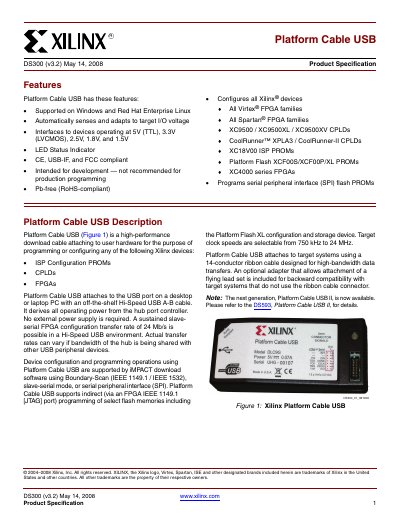
The Platform Cable USB DS300 (v3.2) provides a high‑performance download interface for programming Xilinx FPGAs, CPLDs, and PROMs. It connects to a host PC via a Hi‑Speed USB A‑B cable and draws less than 100 mA from the USB port, requiring no external power.
The cable supports a wide range of target I/O voltages (5 V TTL, 3.3 V LVCMOS, 2.5 V, 1.8 V, 1.5 V), offers status LEDs, and includes a 14‑conductor ribbon cable with optional flying‑wire adapters for legacy systems. Firmware updates are handled automatically by Xilinx ISE software.
| Supported target I/O voltages | 5 V TTL, 3.3 V LVCMOS, 2.5 V, 1.8 V, 1.5 V |
|---|---|
| USB power consumption | < 100 mA (bus‑powered) |
| Maximum data transfer rate | 24 Mb/s (Hi‑Speed USB) |
| Cable length (host side) | 1.8 m Hi‑Speed A‑B cable |
| Ribbon cable specifications | 14‑conductor, 1.0 mm center, 28 AWG flat cable |
| Physical dimensions (case) | 1.00 × 0.65 × 4.55 inches |
| Default configuration clock speed | 6 MHz |
The cable is supported on Windows and Red Hat Enterprise Linux.
It draws less than 100 mA under all operating conditions.
The default TCK_CCLK_SCK frequency is 6 MHz.