
Uniscan A780 scanner is a USB interface flatbed scanner, using advanced optical engine, can scan documents, photos, films and other originals, with fast scanning speed, high resolution, clear images, easy to use and other features.
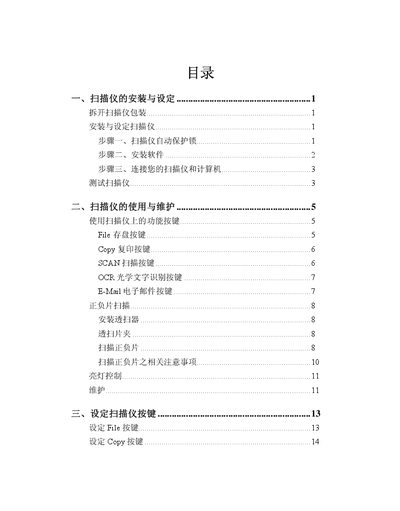
This manual explains how to set up the Uniscan A780 flatbed scanner, install the required drivers, and configure the device for use with Windows. It covers connecting the USB interface, running the driver installer, and selecting optional software such as Uniscan Manager, Presto! ImageFolio, and OCR tools.
The guide also describes scanning, copying, and emailing functions, file management, OCR processing, and exporting results to applications like Microsoft Excel. A specifications section lists the scanner’s physical dimensions, performance parameters, power requirements, and safety certifications. This manual is written in Chinese.
| Dimensions (W×D×H) | 280 mm × 423 mm × 108 mm |
|---|---|
| Weight | 2.7 kg |
| Operating temperature | 10 °C to 40 °C |
| Maximum scan area (reflective) | 216 mm × 297 mm (8.5" × 11.69") |
| Maximum film size | 60 mm × 90 mm |
| Optical resolution | 1200 dpi × 2400 dpi |
| Maximum scanning resolution | 24000 dpi |
| Color depth (input/output) | 48‑bit |
| Grayscale depth | 16‑bit |
| Bitonal depth | 1‑bit |
| USB interface | USB 2.0 |
| Lamp type | Cold cathode |
| Power supply | DC 15 V, 1.0‑1.1 A |
| Maximum power consumption | 13.2 W |
| Safety certifications | CCC, GB4943‑2001, GB9254‑1998, GB17623.1‑2003 |