
Philips SHM3200 Headset Quick Start Guide


Philips SHM3200 Headset Quick Start Guide - cover page
Brand
Philips
Category
Mobilephone Accessories
Document type
Quick Start Guide
Language
English
Pages
1
File format
PDF
File size
28 KB
Published
23 March, 2012
Updated
20 June, 2012
MD5 checksum
4440D186FCC2A8454B477FD6A20146E7

About this manual

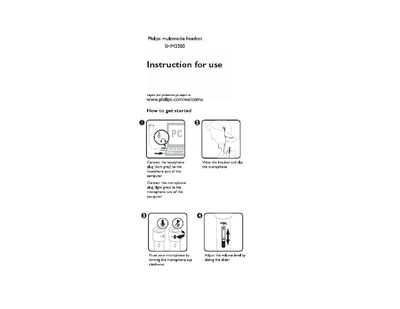
This document is the instruction for use for the Philips SHM3200 multimedia headset. It explains how to connect the headphone and microphone plugs to the computer jacks.

It also describes how to wear the headset, mute the microphone by turning the microphone cap clockwise, and adjust the volume level using the slider.

What's inside

  • How to get started
  • Connect the headphone
  • Connect the microphone
  • Mute your microphone
  • Adjust the volume level

Frequently asked questions

How do I connect the Philips SHM3200 headset to my computer?

Plug the headphone plug (dark gray) into the headphone jack of the computer and plug the microphone plug (gray) into the microphone jack of the computer.

How do I connect the microphone plug?

Plug the gray plug into the microphone jack of the computer.

How do I adjust the volume level?

Face the slider.

Download PDF (28 KB)

More Philips Manuals


View all Philips manuals →