
This user manual provides detailed information on the features, functions, technical specifications and usage of the AL1516W LCD Monitor.
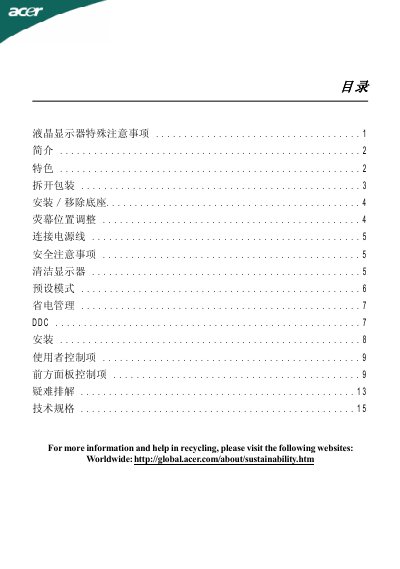
This manual guides you through unpacking, installing, and adjusting the Acer SC-1AL1516W 15.4‑inch LCD monitor. It covers safety precautions, power connection, screen tilt adjustment, and preset display modes.
Additional sections explain DDC plug‑and‑play communication, troubleshooting common issues, and detailed technical specifications such as brightness, contrast, and power consumption. This manual is written in Chinese.
| Screen size | 15.4 inches |
|---|---|
| Pixel pitch | 0.258 mm (H) × 0.258 mm (V) |
| Brightness | 220 cd/m² (typical) |
| Contrast ratio | 400:1 (typical) |
| Viewing angle | 90° horizontal, 45° vertical |
| Response time | 8 ms |
| Maximum resolution | 1280 × 800 @ 60 Hz |
| Power consumption (on) | < 20 W |
Tilt the monitor up to 15° upward or 5° downward using both hands on the edges.
Plug one end of the power cord into the monitor’s power connector and the other end into a properly grounded AC outlet; the monitor accepts 100‑240 V.
DDC (Display Data Channel) lets the monitor automatically report its capabilities to the computer for plug‑and‑play installation.
Use the OSD menu and select the option to reset to factory defaults.