
Saitek A-350 Wireless Headphones User Manual

This document mainly introduces the pairing instructions for Saitek A-350 wireless headphones, including automatic pairing and manual pairing of headphones and transmitters.
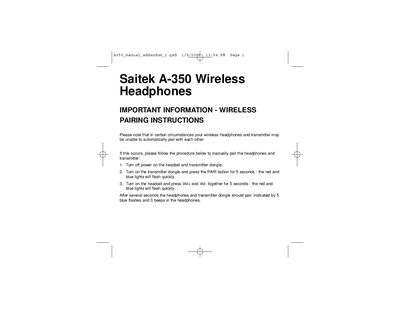

Saitek A-350 Wireless Headphones User Manual - cover page
Brand
Saitek
Category
Mobilephone Accessories
Document type
User Manual
Language
English
Pages
1
File format
PDF
File size
10 KB
Published
21 March, 2012
Updated
30 September, 2023
Model
A-350
MD5 checksum
93DAC1556E7158E9CEF3B26F41554E62

About this manual

This manual provides step‑by‑step wireless pairing instructions for the Saitek A‑350 headphones and its transmitter dongle. It is intended for situations where automatic pairing fails.

The procedure includes powering off both devices, activating the pair mode on the transmitter, and then initiating pairing from the headset using the volume buttons. Successful pairing is indicated by blue flashes and beeps.

What's inside

  • Wireless Pairing Instructions
  • Power Off/On Procedure
  • Pair Button Operation
  • Indication of Successful Pairing

Frequently asked questions

What indicates that the headphones and transmitter have successfully paired?

The headphones will flash blue five times and emit three beeps.

Download PDF (10 KB)

More Saitek Manuals


View all Saitek manuals →