
Key facts
- Manuals
- 27
- Models
- 3
- Categories
- 3
- Languages
- EN
- Last added
- 2012-03-21
Saitek models by category
Featured Saitek manuals
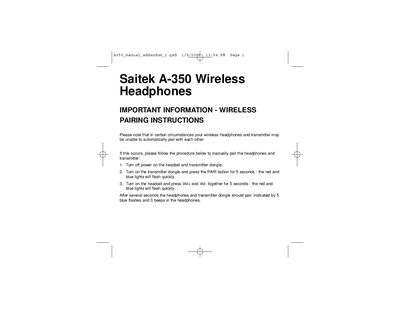
Saitek A-350 Wireless Headphones User Manual
This manual provides step‑by‑step wireless pairing instructions for the Saitek A‑350 headphones and its transmitter dongle. It is intended for situations where automatic pairing fails.
The procedure includes powering off both devices, activating the pair mode on the transmitter, and then initiating pairing from the headset using the volume buttons. Successful pairing is indicated by blue flashes and beeps.
Covers: Wireless Pairing Instructions · Power Off/On Procedure · Pair Button Operation · Indication of Successful Pairing
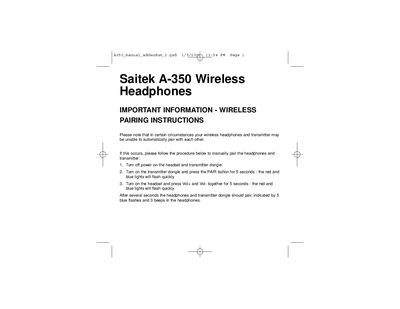
Saitek A-350 Wireless Headphones User Manual
The Saitek A-350 Wireless Headphones are a Bluetooth-enabled audio accessory that connects to a transmitter dongle. This guide explains how to establish a reliable wireless connection.
If automatic pairing fails, turn off both headset and dongle, then follow the manual pairing steps: power the dongle and hold the PAIR button for 5 seconds, power the headset and hold Vol+ & Vol‑ together for 5 seconds, and wait for the indicated flashes and beeps.
Covers: Wireless Pairing Instructions · Manual Pairing Procedure
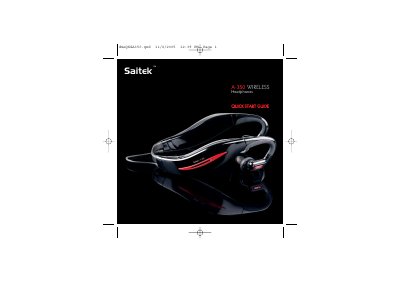
Saitek A-350 Wireless Headphones Quick Start Guide
The Saitek A-350 wireless headphones come with four adjustable headbands and a universal 3.5 mm wireless transmitter. The guide explains how to fit the headphones, power up both units, and establish a wireless connection.
It also details charging procedures, battery life, volume control, switching to a wired line‑in source, and troubleshooting common issues such as pairing failures or low battery warnings.
Covers: Fitting the Headphones · Establishing the Wireless Connection · Playing Music · Connecting the Wireless Transmitter · Powering Up and Charging · Battery Life
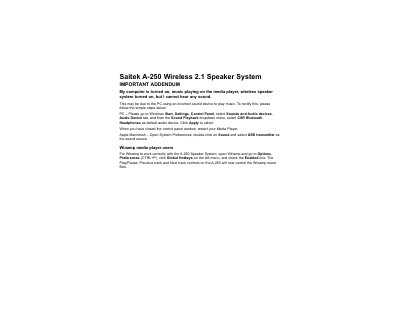
Saitek A-250 Wireless 2.1 Speaker System User Manual
The Saitek A-250 Wireless 2.1 Speaker System provides stereo sound via a wireless connection for PCs and Macs. It includes a sub‑woofer and two satellite speakers.
The guide details steps to select the correct audio device on Windows and Mac, and shows how to enable Winamp hot‑key control so the speaker’s buttons operate the media player. It also offers a quick troubleshooting tip when no sound is heard.
Covers: Troubleshooting · Windows Setup · Mac Setup · Winamp Configuration
Latest Saitek manuals
Saitek A-350 Wireless Headphones User Manual
User Manual 1 pages · 10 KB · ENInstructions for manually pairing Saitek A-350 wireless headphones with their transmitter.
Saitek A-350 Wireless Headphones User Manual
User Manual 1 pages · 10 KB · ENThis manual provides wireless pairing instructions for Saitek A-350 headphones.
Saitek A-350 Wireless Headphones Quick Start Guide
Quick Start Guide 17 pages · 137 KB · ENQuick start guide for Saitek A-350 wireless headphones, covering fitting, pairing, charging and basic operation.
Saitek A-250 Wireless 2.1 Speaker System User Manual
User Manual 1 pages · 7 KB · ENThis manual explains how to set up and troubleshoot the Saitek A-250 wireless 2.1 speaker system.
Saitek A-250 Wireless Speaker System User Manual
User Manual 37 pages · 508 KB · ENThe Saitek A-250 wireless speaker system manual explains setup, operation, battery use and troubleshooting.
Saitek A-200 Portable 2.1 Speaker System Quick Start Guide
Quick Start Guide 17 pages · 258 KB · ENThe Saitek A-200 portable 2.1 speaker system quick start guide explains battery installation, EAVS activation, connections, troubleshooting, and technical…
Saitek Wireless Adapter User Manual
User Manual 8 pages · 541 KB · ENThe Saitek Wireless Adapter User Manual provides step‑by‑step setup, battery handling, and usage instructions for the PlayStation®2 adapter.
Saitek Hi-Speed USB 2.0 Hub User Manual
User Manual 14 pages · 55 KB · ENThe Saitek Hi-Speed USB 2.0 Hub user manual provides setup, operation, and troubleshooting instructions for the 4‑port USB hub.
Saitek Eclipse II Illuminated Keyboard User Manual
User Manual 15 pages · 294 KB · ENThe Saitek Eclipse II illuminated keyboard user manual provides installation steps, feature descriptions, safety tips, and warranty information.
Saitek Eclipse Keyboard User Manual
User Manual 13 pages · 77 KB · ENThe Saitek Eclipse Keyboard manual provides installation steps, safety guidelines, and control functions for the backlit 104‑key keyboard.
Saitek PC Gaming Mouse User Manual
User Manual 37 pages · 522 KB · ENThe manual provides installation, driver setup, button programming, and troubleshooting instructions for the Saitek PC Gaming Mouse.
Saitek R440 Force Wheel User Manual
User Manual 39 pages · 267 KB · ENThe Saitek R440 Force Wheel User Manual provides setup, driver installation, programming and warranty information for the force‑feedback racing controller.
Saitek Pro Gamer Command Unit User Manual
User Manual 41 pages · 237 KB · ENThe Saitek Pro Gamer Command Unit User Manual provides setup, programming and warranty information for the backlit USB gaming controller.
Saitek P880 Dual Analog Pad User Manual
User Manual 44 pages · 202 KB · ENThe Saitek P880 Dual Analog Pad User Manual provides installation steps, driver information, troubleshooting, and programming guidance.
Saitek P2500 Rumble Force Pad User Manual
User Manual 44 pages · 295 KB · ENThe Saitek P2500 Rumble Force Pad User Manual provides installation, driver setup, programming, troubleshooting, and warranty information.
- 1
- 2
Which document do I need?
User Manual
Day-to-day operation, settings and troubleshooting. Start here if the product is already set up.
Quick Start Guide
The shortest path to a working setup, usually only a few pages.
Questions answered in Saitek manuals
What indicates that the headphones and transmitter have successfully paired?
The headphones will flash blue five times and emit three beeps.
How do I manually pair the Saitek A-350 headphones with the transmitter?
Turn off both headset and dongle, turn on the dongle and hold the PAIR button for 5 seconds, then turn on the headset and hold Vol+ and Vol‑ together for 5 seconds; the devices will pair.
What indicates that the headphones have successfully paired?
The headphones will flash blue five times and emit three beeps.
How long does the battery last on a single charge?
The headphones provide about 6 hours of playback before needing to be recharged.
How do I switch the headphones from wireless to a wired line‑in source?
Press and hold the volume‑down button for 5 seconds; the LED will flash blue and the unit will switch to line‑in mode.
Why is there no sound from the A‑250 speaker system?
The PC may be using the wrong audio device; set "CSR Bluetooth Headphones" as the default playback device and restart the media player.