
The Saitek Pro Gamer Command Unit is a backlit USB device for first person shooter / strategy gaming. The unit is adjustable to suit the user's hand size, and also features laser-etched keys that allow the ultra blue, red or green backlighting to glow through making it possible to read the keys in the dark. It has standard keyboard buttons including 11 standard (main) keys in 2 rows of 4, and 1 row of 3, 3 pinkie buttons to the left-hand side of the main keys, 4 function buttons positioned behind the main keys for easy access, 2 thumb buttons, and a 3-position Mode switch (Blue = Default - no profile, Green = Loads profile for FPS Mode, Red = Loads profile for Real-Time Strategy Mode). The unit is fully programmable using Saitek Smart Technology Software (SST) with 20 buttons, 1 shift function, 3 mode states, and a 4-way analog mini-stick for up to 144 programmable commands. It also features 3 mode states with different colored LEDs to indicate which is in use, ultra blue, green or red key backlighting, a 4-way digital hat recognized by the operating system as the x and y axis, an adjustable thumb pad with a 4-directional tilt mechanism.
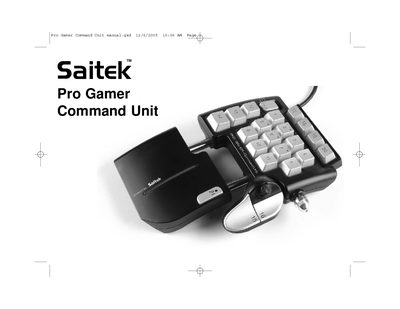
The Saitek Pro Gamer Command Unit is a backlit USB gaming controller with 20 programmable buttons, a shift function, three mode states (blue, green, red) and a 4‑way analog mini‑stick. The manual covers hardware description, installation of the Saitek Smart Technology (SST) software on Windows XP/2000, and how to create and load custom profiles.
It also includes troubleshooting steps, technical support contacts, warranty terms, and FCC compliance information. Users can test the controller via the Windows Game Controllers control panel and adjust the thumb pad, backlighting and mode switch to suit their preferences.
| Shift function | 1 |
|---|---|
| Mode states | 3 (blue, green, red) |
| Analog mini‑stick | 4‑way |
| Key backlighting colors | Ultra blue, green, red |
| Thumb pad | Adjustable with 4‑directional tilt |
| Digital hat | 4‑way, recognized as X and Y axis |