
This is the quick start guide of Saitek TM P990 game pad, which introduces the features and functions of the game pad
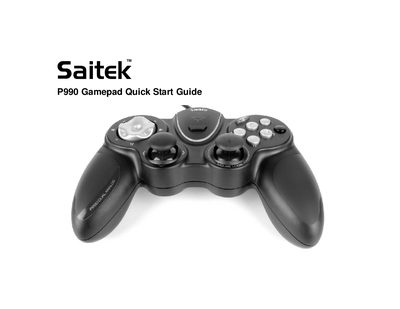
The Saitek P990 is a PC gamepad featuring two analog joysticks with built‑in buttons, an 8‑way D‑Pad, six programmable buttons, and a dedicated FPS Gaming Button for first‑person shooter games. It also includes four quick‑fire shoulder triggers and a variety of language‑specific labelings.
To start using the P990, insert the USB plug into a free USB port on your computer, then insert the supplied CD and follow the on‑screen prompts to install the product drivers and Saitek Smart Technology (SST) programming software. After the drivers and SST are installed, the FPS button automatically configures common FPS commands.
| Number of Buttons | 6 |
|---|---|
| Analog Joysticks | 2 with built‑in buttons |
| D‑Pad | 8‑way |
| Quick‑fire Shoulder Triggers | 4 |
Insert the P990’s USB plug into one of your PC’s free USB sockets.
Insert the supplied CD into your PC’s CD drive and follow the on‑screen instructions to install the driver software.
Pressing the FPS Gaming Button automatically sets up the pad’s controls for common first‑person shooter commands after the drivers and Saitek Smart Technology software are installed.
The P990 has two analog joysticks, each with built‑in buttons.