
The Saitek Cyborg 3D Rumble Force Stick is the ultimate controller for the discerning gamer. This awesome joystick comes complete with sublime new looks and Immersion’s patented Touchsense technology to take the gaming experience to a new level of interactivity. The haptic technology inside dramatically improves gamers’ performance and power – by unlocking their sense of touch and allowing them to feel what they see and do on the computer screen. The Rumble Force Technology is combined with a full range of features to put you in total control of the game.
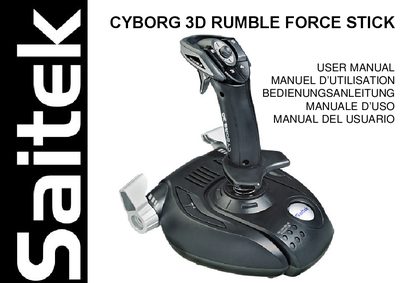
The Saitek Cyborg 3D Rumble Force Stick is a gaming controller featuring rapid‑fire trigger, eight fully programmable fire buttons, a dual‑handle throttle, an 8‑way POV hat switch, 3‑D Rudder Twist and a plug‑and‑play USB connection. It uses Saitek Smart Technology software for driver installation and advanced programming.
This user manual provides step‑by‑step installation instructions for Windows XP, 2000, 98/Me, details on the Quick Install (drivers only) and Full Install (drivers plus programming software), guidance on creating and managing profiles with the Saitek Smart Technology Programming Software, and a troubleshooting section with common connection issues and support information.
| Rapid Fire Trigger | Instant response trigger |
|---|---|
| Programmable fire buttons | 8 fully programmable |
| Throttle | Dual handle for left‑ or right‑handed use |
| POV hat switch | 8‑way |
| 3D Rudder Twist | Handle twist for flight simulation realism |
| Connection | Plug‑and‑play USB |
Check the cable connections, turn off the computer, unplug the controller, then plug it back in securely.
It is recommended to remove any existing game controllers before installing the Cyborg 3D Rumble Force.
The USB connection may be disabled in the computer’s BIOS; enable it there or check the BIOS settings.