
This document describes the features and characteristics of the Saitek TM P2600 Rumble Force Gamepad, including quick-fire shoulder triggers, analog/digital buttons, rumble force feedback, etc.
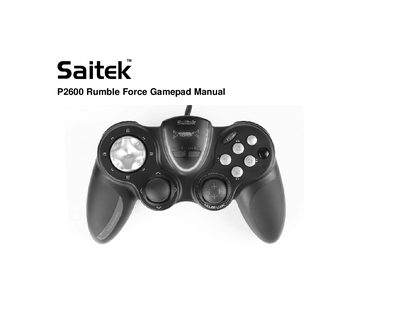
The Saitek P2600 Rumble Force Gamepad is a PC gaming controller featuring four quick‑fire shoulder triggers, analog/digital buttons, a rumble‑force button, an 8‑way D‑Pad, two analog joysticks and an FPS gaming button for first‑person shooter games.
This manual walks users through connecting the USB cable, installing drivers and Saitek Smart Technology (SST) programming software, configuring the FPS button, testing the controller, creating custom profiles, and accessing technical support, warranty information, and regulatory compliance details.
| Shoulder triggers | 4 quick‑fire |
|---|---|
| Analog/Digital button | present |
| Rumble Force button | present |
| D‑Pad | 8‑way |
| Analog joysticks | 2 |
Install both the device drivers and the Saitek Smart Technology (SST) programming software, then press the FPS button to activate the preset FPS profile.
Open the Windows Control Panel, select Game Controllers (or Gaming Options), choose the Saitek P2600, and use the Properties test screen to verify button responses.