
The product is a Linksys Instant Wireless series BEFW11S4 model, a wireless router that supports 802.11b protocol, supports DMZ host, MAC address cloning, dynamic routing, static routing, port forwarding, DHCP log, password setting, status view, etc.
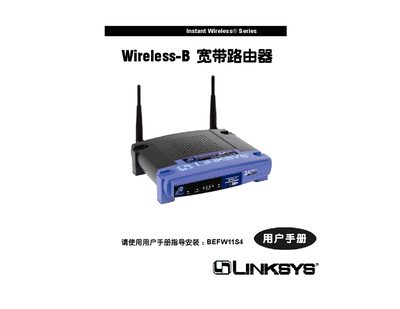
This manual covers the initial setup of the Linksys BEFW11S4 router, including connecting to the Internet via DHCP, PPPoE, or static IP, configuring wireless parameters such as SSID, channel, and security (WEP, WPA), and managing advanced features like port forwarding, DMZ host, and MAC address cloning.
It also details troubleshooting steps, reset procedures, and provides technical specifications such as dimensions, power requirements, and regulatory certifications. The document is organized into sections for Setup, Password, Status, DHCP, Advanced Settings, Wireless, and Security.
| Weight | 0.45 kg |
|---|---|
| Operating Temperature | -20 °C to 70 °C |
| Dimensions | 186 mm × 154 mm × 48 mm |
| Power Input | 12 VDC, 1 A |
| Regulatory Certifications | FCC, CE, Wi‑Fi, UPnP |
| Wireless Standards | IEEE 802.11b (11 channels US/Canada, 13 Europe, 14 Japan) |
Press the Reset button as described on page 6 of the manual.
The router supports 11 channels in the US/Canada, 13 in Europe, and 14 in Japan.
Use the PPPoE settings page (see page 64) to enter your ISP credentials and enable the connection.
The manual describes WEP and WPA security settings under the Wireless section.