
Zebra ZD421T Thermal Transfer Desktop Printer Quick Start Guide

Quick setup guide for Zebra ZD421T thermal transfer desktop printer, covering driver installation, media and ribbon loading, and sensor adjustment.
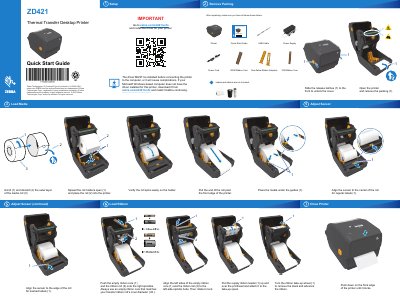

Zebra ZD421T Thermal Transfer Desktop Printer Quick Start Guide - cover page
Brand
Zebra
Category
Printer
Document type
Quick Start Guide
Language
English
Pages
2
File format
PDF
File size
2.3 MB
Published
07 November, 2026
Updated
07 November, 2026
MD5 checksum
1E690032563C001741919A1B44B27FA6

About this manual

This guide helps you install the printer driver before connecting the device to your computer. It also shows how to load media and ribbon, adjust the sensor, and close the printer after setup. The guide includes multilingual instructions and visual diagrams for each step.

What's inside

  • Install Driver
  • Load Media
  • Load Ribbon
  • Adjust Sensor
  • Close Printer

Frequently asked questions

Do I need to install the driver before connecting the printer?

Yes, the driver MUST be installed before connecting the printer to the computer, or it will cause complications.

Where can I download the driver for this printer?

Download the driver from zebra.com/zd421t-info and install it before continuing.

Download PDF (2.3 MB)

More Zebra Manuals


View all Zebra manuals →