
Key facts
Start here
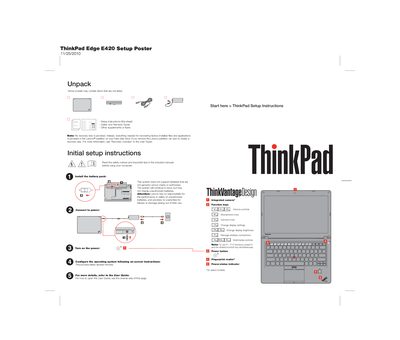
Lenovo ThinkPad Edge E420 Setup Poster
The ThinkPad Edge E420 Setup Poster provides a brief, step‑by‑step guide for unpacking, installing the battery, and configuring basic functions such as function keys, power button, and fingerprint reader. It also points users to the full User Guide and Safety & Warranty Guide for detailed instructions.
In addition to setup steps, the poster includes important safety tips on heat protection, handling the AC adapter, keeping the computer dry, protecting cables, and safeguarding data. Links to online resources for the User Guide, Safety & Warranty Guide, Regulatory Notice, and support are also provided.
Lenovo ThinkPad E420 specifications
| E420 Width | 343.4 mm (13.52 in) |
|---|---|
| E420 Depth | 234 mm (9.21 in) |
| E420 Height | 29.3 to 33.1 mm (1.15 to 1.30 in) |
| E520 Width | 380 mm (14.96 in) |
| E520 Depth | 249 mm (9.8 in) |
| E520 Height | 30.4 to 33.6 mm (1.20 to 1.32 in) |
| Heat Output (both models) | 65 W (222 Btu/hr) max or 90 W (307 Btu/hr) max |
| Power Source | Sine‑wave AC 100‑240 V, 50‑60 Hz |
| Battery Pack | Lithium‑ion (Li‑Ion) |
All Lenovo ThinkPad E420 documents by type
Day-to-day operation, settings and troubleshooting. Start here if the product is already set up.
The shortest path to a working setup, usually only a few pages.
Questions answered in these manuals
What are the dimensions of the ThinkPad Edge E420?
The E420 measures 343.4 mm wide, 234 mm deep, and 29.3 to 33.1 mm high.
How can I replace the battery in a ThinkPad Edge laptop?
Contact the place where you purchased the laptop or a Lenovo service provider for a replacement, and follow the disposal instructions in the guide.