
Key facts
Start here
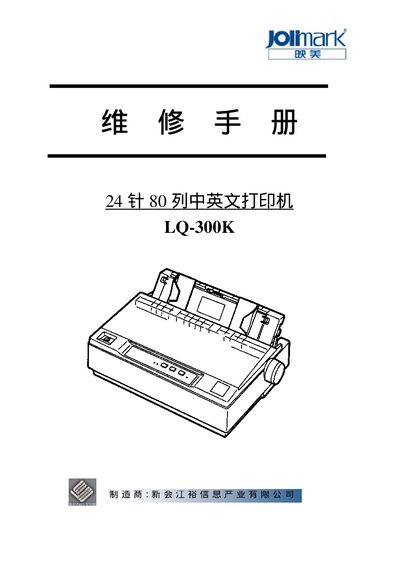
Jolimark LQ-300K 24-Pin Dot Matrix Printer User Manual
The document serves as a comprehensive user guide for the Jolimark LQ-300K 24-pin dot matrix printer. It details the machine's physical dimensions, electrical requirements, and supported paper sizes, along with an explanation of its mechanical structure and control panel functions.
Key sections cover routine maintenance such as cleaning and carriage replacement, as well as troubleshooting common faults like print head errors or paper jams. The manual also includes detailed connection diagrams for parallel and serial interfaces (EIA-232D) and pinout tables for various expansion ports. This manual is written in Chinese.
Jolimark LQ-300K specifications
| Printing method | 24‑needle dot‑matrix impact |
|---|---|
| Print width | 80 columns (10 cpi) / 203.2 mm |
| Print speed (normal mode) | 90 CPS |
| Interfaces | Parallel (Centronics), USB 2.0 Full‑Speed, RS‑232C serial |
| Power consumption (working) | 47 W |
| Dimensions | 366 mm × 275 mm × 156 mm |
Source: Jolimark LQ-300KIII User Manual
All Jolimark LQ-300K documents by type
Day-to-day operation, settings and troubleshooting. Start here if the product is already set up.
Questions answered in these manuals
How do I install the ribbon cartridge?
Close the power, open the printer cover, rotate the ribbon knob to tighten the ribbon, insert the ribbon box into the slots and press down until it clicks into place.
How can I adjust the column alignment (成列度) after long use?
Turn on the printer, load paper, then press and hold the 【换行/换页】 and 【撕纸位】 keys together until the power and online LEDs flash, which enters the LQ alignment mode; use 【进纸/退纸】 and 【换行/换页】 keys to shift rows left or right, then store the setting with the 【联机】 key.
What are the supported baud rates for the serial port?
The serial port supports speeds of 300, 600, 1200, 2400, 4800, 9600, and 19200 BPS.
From: Jolimark LQ-300K 24-Pin Dot Matrix Printer User Manual