
Key facts
Start here
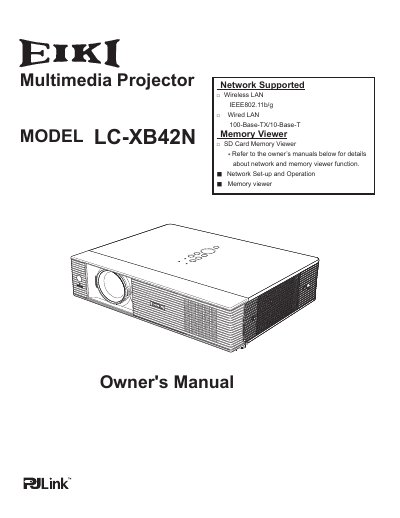
EIKI LC-XB42N Multimedia Projector User Manual
The EIKI LC-XB42N is a compact multimedia projector designed for portability and ease of use. It utilizes matrix LCD technology with a palette of 16.77 million colors and supports up to UXGA resolution via its Multi-scan system. Key features include built-in wireless and wired LAN capabilities, an SD card memory viewer, and the ability to project onto blackboards.
Read onlineEiki LC-XB42N specifications
| Projector Type | Multi-media Projector |
|---|---|
| Dimensions | 334 mm x 78 mm x 262 mm (not including adjustable feet) |
| Net Weight | 3.7 kg |
| Feet Adjustment | 0˚ to 8.9˚ |
| LCD Panel System | 0.8” TFT Active Matrix type, 3 panels |
| Panel Resolution | 1,024 x 768 dots |
| Number of Pixels | 2,359,296 (1,024 x 768 x 3 panels) |
| Color System | PAL, SECAM, NTSC, NTSC4.43, PAL-M, and PAL-N |
| High Definition TV Signal | 480i, 480p, 575i, 575p, 720p, 1035i, and 1080i |
| Scanning Frequency | H-sync. 15 kHz–100 kHz, V-sync. 50–100 Hz |
| Projection Image Size (Diagonal) | Adjustable from 40” to 300” |
| Throw Distance | 3.1' (0.93m) - 37.6' (11.47m) |
| Projection Lens | F1.7–2.5 lens with f=19.2 mm–30.2 mm with manual zoom and focus |
| Projection Lamp | 275 W |
| Video Input Jack | RCA Type x 1 |
| S-video Input Jack | Mini DIN 4 pin x 1 |
| Audio Input Jacks | RCA Type x 2 |
| Computer Input 1/DVI-I Input Terminal | DVI-I Terminal X 1 |
| Computer Input 2/Component Input Terminal | Mini D-sub 15 pin X 1 |
| Monitor Output Terminal | Mini D-sub 15 pin x 1 |
| Computer/Component Audio Input Jack | Mini Jack (stereo) x 1 |
| Service Port Connector | Mini DIN 8 pin x 1 |
| USB Connector | USB Series B connector x 1 |
| Audio Output Jack | Mini Jack (stereo) x 1 (variable) |
| LAN Connection Terminal | 100 Base-TX (100Mbps)/10 Base-T (10Mbps), RJ45 |
| Internal Audio Amp | 1.0 W RMS |
| Built-in Speaker | 1 speaker, ø28 mm |
| Power Voltage and Power Consumption | AC 100–120 V (4.0A Max. Ampere), 50/60 Hz (USA/Canada); AC 200–240 V (2.0A Max. Ampere), 50/60 Hz (Continental Europe/UK) |
| Operating Temperature | 41˚F–95˚F (5 ˚C–35 ˚C) |
| Storage Temperature | 14˚F–140˚F (-10˚C–60 ˚C) |
| Remote Control Battery | AAA or LR03 Type x 2 |
| Remote Control Operating Range | 5 m/±30˚ |
| Remote Control Dimensions | 45 mm (W) x 23 mm (H) x 145 mm (D) |
| Remote Control Net Weight | 99 g (including batteries) |
| Laser Pointer | Class II Laser (Max. Output: 1 mW/Wave length: 640–660 nm) |
All Eiki LC-XB42N documents by type
Disassembly, diagnostics and part numbers, for repair.
Day-to-day operation, settings and troubleshooting. Start here if the product is already set up.
Questions answered in these manuals
What fuse type does the LC-XB42N use?
The fuse is type 8A 250V (Little Fuse Inc.).
How do I reset the thermal switch?
Disconnect the AC cord, insert a sharp tool such as a screwdriver through the hole on the cabinet bottom, and press the reset button on the thermal switch.
Can this projector be used with a blackboard?
Yes, the projector can use blackboards as a projection screen.
Does the LC-XB42N support wireless networking?
Yes, it is loaded with both wired and wireless LAN network functions.