
This document is the service manual for the Eiki LC-XB42N projector. It contains specifications, maintenance and repair information for the product.
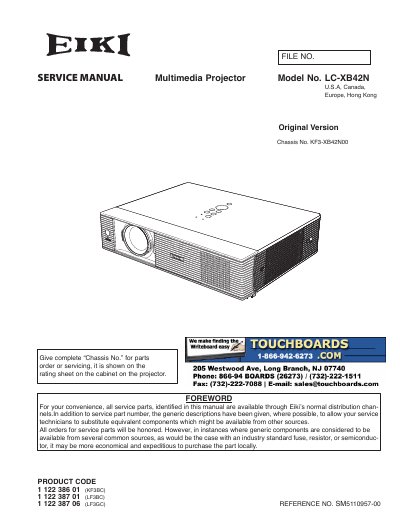
This service manual is for the Eiki LC-XB42N multimedia projector. It lists safety instructions, specifications, circuit protections, maintenance, disassembly, adjustments, troubleshooting, block diagrams, parts lists, and diagrams.
It is intended for service personnel and covers procedures such as fuse replacement, thermal switch reset, lamp cover switch operation, and optical and electrical adjustments.
| Projector Type | Multi-media Projector |
|---|---|
| Dimensions | 334 mm x 78 mm x 262 mm (not including adjustable feet) |
| Net Weight | 3.7 kg |
| Feet Adjustment | 0˚ to 8.9˚ |
| LCD Panel System | 0.8” TFT Active Matrix type, 3 panels |
| Panel Resolution | 1,024 x 768 dots |
| Number of Pixels | 2,359,296 (1,024 x 768 x 3 panels) |
| Color System | PAL, SECAM, NTSC, NTSC4.43, PAL-M, and PAL-N |
| High Definition TV Signal | 480i, 480p, 575i, 575p, 720p, 1035i, and 1080i |
| Scanning Frequency | H-sync. 15 kHz–100 kHz, V-sync. 50–100 Hz |
| Projection Image Size (Diagonal) | Adjustable from 40” to 300” |
| Throw Distance | 3.1' (0.93m) - 37.6' (11.47m) |
| Projection Lens | F1.7–2.5 lens with f=19.2 mm–30.2 mm with manual zoom and focus |
| Projection Lamp | 275 W |
| Video Input Jack | RCA Type x 1 |
| S-video Input Jack | Mini DIN 4 pin x 1 |
| Audio Input Jacks | RCA Type x 2 |
| Computer Input 1/DVI-I Input Terminal | DVI-I Terminal X 1 |
| Computer Input 2/Component Input Terminal | Mini D-sub 15 pin X 1 |
| Monitor Output Terminal | Mini D-sub 15 pin x 1 |
| Computer/Component Audio Input Jack | Mini Jack (stereo) x 1 |
| Service Port Connector | Mini DIN 8 pin x 1 |
| USB Connector | USB Series B connector x 1 |
| Audio Output Jack | Mini Jack (stereo) x 1 (variable) |
| LAN Connection Terminal | 100 Base-TX (100Mbps)/10 Base-T (10Mbps), RJ45 |
| Internal Audio Amp | 1.0 W RMS |
| Built-in Speaker | 1 speaker, ø28 mm |
| Power Voltage and Power Consumption | AC 100–120 V (4.0A Max. Ampere), 50/60 Hz (USA/Canada); AC 200–240 V (2.0A Max. Ampere), 50/60 Hz (Continental Europe/UK) |
| Operating Temperature | 41˚F–95˚F (5 ˚C–35 ˚C) |
| Storage Temperature | 14˚F–140˚F (-10˚C–60 ˚C) |
| Remote Control Battery | AAA or LR03 Type x 2 |
| Remote Control Operating Range | 5 m/±30˚ |
| Remote Control Dimensions | 45 mm (W) x 23 mm (H) x 145 mm (D) |
| Remote Control Net Weight | 99 g (including batteries) |
| Laser Pointer | Class II Laser (Max. Output: 1 mW/Wave length: 640–660 nm) |
The fuse is type 8A 250V (Little Fuse Inc.).
Disconnect the AC cord, insert a sharp tool such as a screwdriver through the hole on the cabinet bottom, and press the reset button on the thermal switch.
The operating temperature range is 41°F to 95°F (5°C to 35°C).
The projector uses a 275 W projection lamp.