
Dell Venue 7 and Venue 8 Tablet Quick Start Guide

Quick Start Guide for Dell Venue 7 and Venue 8 tablets.
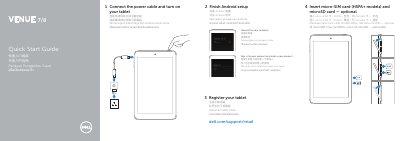

Dell Venue 7 and Venue 8 Tablet Quick Start Guide - cover page
Brand
DELL
Category
Tablets
Document type
Quick Start Guide
Language
English
Pages
2
File format
PDF
File size
261 KB
Published
25 November, 2023
Updated
25 November, 2023
MD5 checksum
FF1CA5794EF15CFDB444529884C1A1D1

About this manual

The Dell Venue 7 and Venue 8 Tablet Quick Start Guide provides essential instructions for getting started with the device. It outlines the basic process of powering on the tablet, completing the Android setup, and registering the device.

The guide also includes a detailed hardware map identifying key components such as the Micro-USB port, camera locations, and card slots.

What's inside

  • Connect the power cable and turn on your tablet
  • Finish Android setup
  • Register your tablet
  • Product support and manuals
  • Regulatory model/type

Specifications

Regulatory Model (Venue 7)T01C/T01C001, T01C002
Regulatory Model (Venue 8)T02D/T02D001, T01D002

Frequently asked questions

Where can I find product support and manuals?

Product support and manuals are available at dell.com/support and dell.com/support/manuals.

Which models support a micro-SIM card?

Micro-SIM cards are supported on HSPA+ models.

Download PDF (261 KB)

More DELL Manuals


View all DELL manuals →