
Dell Tablet Quick Start Guide.
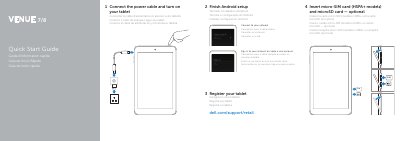
This Dell Venue 7/Venue 8 tablet quick start guide shows how to insert an optional micro-SIM card on HSPA+ models and a microSD card, connect the power cable, turn on the tablet, finish Android setup, and register the device.
It also provides support and manual links, regulatory and safety information, electrical ratings, and a labeled diagram of the tablet's controls and ports.
| Regulatory model (Venue 7) | T01C/T01C001, T01C002 |
|---|---|
| Regulatory model (Venue 8) | T02D/T02D001, T01D002 |
| Input voltage | 100 V AC to 240 V AC |
| Input current (maximum) | 0.3 A |
| Input frequency | 50 Hz to 60 Hz |
| Output current | 2.0 A |
| Output voltage | 5.0 V DC |
Insert a micro-SIM card on HSPA+ models and an optional microSD card.
Connect the power cable and turn on the tablet.
Visit dell.com/support and dell.com/support/manuals.
Venue 7: T01C/T01C001, T01C002; Venue 8: T02D/T02D001, T01D002.