
Dell Latitude 12 5000 Series 2-in-1 Quick Start Guide
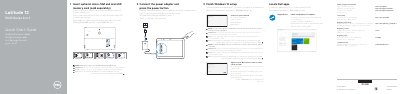
This guide covers initial setup of the Dell Latitude 5285 2-in-1, including inserting optional micro-SIM and microSD cards, connecting the power adapter, completing Windows 10 setup, connecting to a network, signing in, locating Dell apps, and checking for updates.
It also identifies device features and ports, such as cameras, microphones, USB 3.0, DisplayPort over USB Type-C, headset jack, fingerprint reader, NFC, and kickstand, and provides support, regulatory, and contact information.
| Computer model | Latitude 5285 2-in-1 |
|---|---|
| Regulatory model | T17G |
| Regulatory type | T17G001 |
| USB port | USB 3.0 port |
The microSD card slot is located under the kickstand.
Enter the password for the wireless network access when prompted.
You may need to activate your network service before connecting.
Dell provides product support and manuals at Dell.com/support and Dell.com/support/manuals.