
Dell Latitude 5285 2-in-1 (Latitude 12 5000 Series) Quick Start Guide

Latitude 12 5000 Series 2-in-1 Quick Start Guide
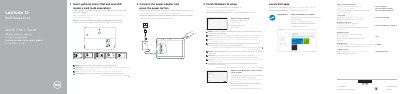

Dell Latitude 5285 2-in-1 (Latitude 12 5000 Series) Quick Start Guide - cover page
Brand
DELL
Category
Laptops
Document type
Quick Start Guide
Language
English
Pages
2
File format
PDF
File size
618 KB
Published
22 November, 2023
Updated
22 November, 2023
MD5 checksum
CE0C67D7CB4B8479B67460C062AE971F

About this manual

This quick start guide is for the Dell Latitude 5285 2-in-1 (Latitude 12 5000 Series). It shows how to connect power, insert optional micro-SIM and microSD cards, complete Windows 10 setup, connect to a network, sign in, locate Dell apps, and check for updates.

It also lists product features and support, regulatory, and safety information, including regulatory model T17G, regulatory type T17G001, and computer model Latitude 5285 2-in-1.

What's inside

  • Connect the power adapter and press the power button
  • Insert optional micro-SIM and microSD memory card
  • Finish Windows 10 setup
  • Connect to your network
  • Sign in to your Microsoft account or create a local account
  • Locate Dell apps
  • SupportAssist
  • Check and update your computer
  • Product support and manuals
  • Regulatory and safety

Specifications

Regulatory typeT17G001
Computer modelLatitude 5285 2-in-1

Frequently asked questions

How do I connect to a secured wireless network?

Enter the password for the wireless network access when prompted.

What should I do if a microSD card is not inserted correctly?

Make sure the card is correctly aligned and is inserted all the way.

Where can I find Dell product support and manuals?

Visit Dell.com/support and Dell.com/support/manuals.

What may be needed before a mobile broadband connection?

You may need to activate your network service before connecting.

Download PDF (618 KB)

More DELL Manuals


View all DELL manuals →