
Dell laptop quick start guide.
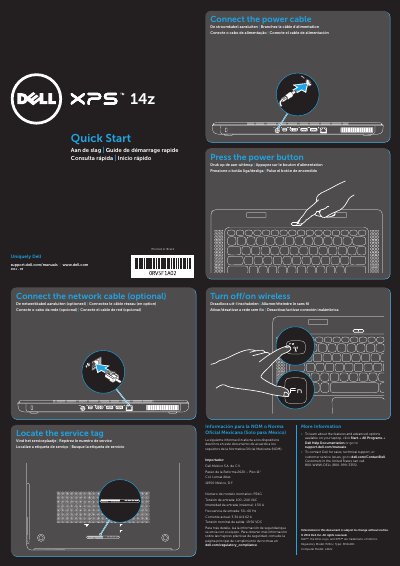
This Dell quick start guide explains how to set up the L412z laptop, including locating the service tag, turning wireless on or off, connecting the power and network cables, and pressing the power button.
It lists laptop features such as the security cable slot, AC adapter connector, Mini DisplayPort, HDMI, USB connectors, network connector, microphones, camera, display, touchpad, backlit keyboard, battery meter button, and optical drive, and includes regulatory and Dell support information.
| Input voltage | 100–240 VAC |
|---|---|
| Input current max | 1.50 A |
| Input frequency | 50–60 Hz |
| Output voltage | 19.50 VDC |
| Regulatory model | P24G |
The computer model is L412z.
The regulatory model is P24G.
Click Start→ All Programs→ Dell Help Documentation or go to support.dell.com/manuals.