
Key facts
Start here
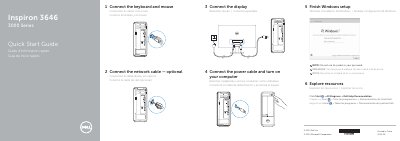
Dell Inspiron 3646 Quick Start Guide
This document serves as a Quick Start Guide for the Dell Inspiron 3646 computer. It provides instructions in English, French, and Spanish for connecting peripherals such as the keyboard, mouse, and network cable, as well as connecting the power and display. It also guides users through finishing the Windows setup process.
Read onlineDell Inspiron 3646 specifications
| Input voltage | 100 V CA–240 V CA |
|---|---|
| Frequency | 50 Hz–60 Hz |
| Output voltage | 19,50 V CC |
All Dell Inspiron 3646 documents by type
Disassembly, diagnostics and part numbers, for repair.
The shortest path to a working setup, usually only a few pages.
Questions answered in these manuals
What tools are recommended for disassembling the computer?
The manual recommends using a Phillips screwdriver and a plastic spudger.
How do I discharge residual power from the system board?
After disconnecting all connections, hold down the power button for 5 seconds.
What symbol should not be used in the password?
Do not use the @ symbol in your password.
What tools are recommended for internal computer work?
The recommended tools are a Phillips screwdriver and a plastic stick.
Who is authorized to remove the computer cover?
Only certified service technicians are authorized to remove the computer cover and access internal components.
What tools are required to work inside the computer?
The procedures may require a Philips screwdriver and a plastic scribe.