
Inspiron 15 7000 Series Notebook Quick Start Guide.
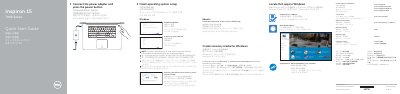
The Dell Inspiron 15 7000 Series Quick Start Guide provides essential instructions for setting up the Inspiron 7548 notebook. It guides users through connecting power, completing the operating system setup for Windows or Ubuntu, and connecting to a network.
The document also includes a detailed map of the device's hardware features, such as ports and microphones, and a comprehensive list of keyboard shortcut keys for system control and media playback.
| Rated Voltage | 100-240 V |
|---|---|
| Rated Frequency | 50-60 Hz |
| Rated Input Current | 1.7 A (65 W) / 2.5 A (90 W) |
| Regulatory Model | P41F |
In Windows search, type Recovery, click Create a recovery media, and follow the on-screen instructions.
The rated voltage is 100-240 volts and the rated frequency is 50-60 hertz.
The rated input current is 1.7 amperes for the 65-watt adapter.
In Windows search, type Recovery, click Create a recovery media, and follow the instructions on the screen.