
Dell Inspiron 14-5459 Quick Start Guide

This guide provides quick setup instructions, feature descriptions, and shortcut key information for the Dell Inspiron 14-5459 laptop.
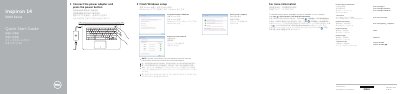

Dell Inspiron 14-5459 Quick Start Guide - cover page
Brand
DELL
Category
Laptops
Document type
Quick Start Guide
Language
Chinese
Pages
2
File format
PDF
File size
576 KB
Published
11 November, 2026
Updated
11 November, 2026
MD5 checksum
1181F2277CD55C633135E2D92D1194E7

About this manual

This document serves as a Quick Start Guide for the Dell Inspiron 14-5459 laptop. It covers essential initial setup steps, including finishing Windows setup, connecting power, and setting up network access. The guide also directs users to Dell Help Documentation for advanced options. This manual is written in Chinese.

What's inside

  • Finish Windows setup
  • Set up password for Windows
  • Connect to your network
  • Protect your computer
  • Features
  • Shortcut keys

Frequently asked questions

How do you start the computer?

Connect the power adapter and press the power button.

What should you enter when connecting to a secured wireless network?

Enter the password for the wireless network access when prompted.

Where can you find information about features and advanced options?

Click Start, then All Programs, then Dell Help Documentation.

Download PDF (576 KB)

More DELL Manuals


View all DELL manuals →