
Key facts
Start here
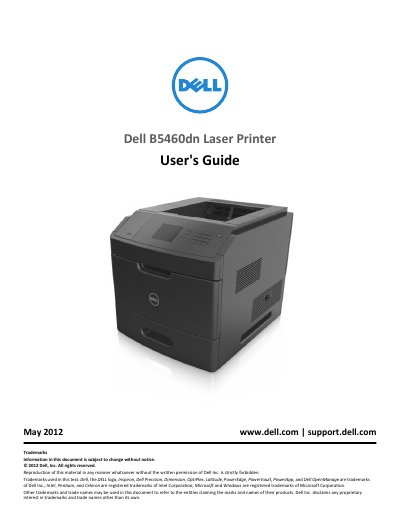
Dell B5460dn Laser Printer User's Guide
The Dell B5460dn Laser Printer User's Guide provides detailed instructions for the installation and operation of the B5460dn laser printer. It covers initial setup, including hardware options and software installation, as well as networking and paper handling.
The manual includes comprehensive sections on printing documents, managing printer settings via the control panel and menus, performing routine maintenance, and resolving paper jams or other technical issues.
Dell B5460dn specifications
| Width (right side) | 305 mm (12 in) |
|---|---|
| Depth (front) | 508 mm (20 in) |
| Height (top) | 115 mm (4.5 in) |
| Weight | over 18 kg (40 lb) |
| Standard paper tray capacity | 550 sheets |
| Optional high‑capacity tray | 2100 sheets |
All Dell B5460dn documents by type
Day-to-day operation, settings and troubleshooting. Start here if the product is already set up.
Questions answered in these manuals
How should I move the printer safely?
Turn off and unplug the printer, disconnect all cables, remove optional finishers and trays, and use the handholds on both sides to lift it.
What should I do if the printer is floor-mounted with high-capacity trays?
You must use either a printer stand or printer base to ensure stability.
How much does the Dell B5460dn weigh?
The guide states that the printer weighs more than 18 kg (40 lb), so two or more trained people are needed to lift it safely.
What operating temperature is recommended for the printer?
Dell recommends an ambient temperature of 15.6 to 32.2 °C (60 to 90 °F) and advises avoiding temperature fluctuations.
Where can I find the service tag and express service code?
They appear on labels located on the printer.
What should I do before moving the printer?
Follow the moving guidelines, including turning off the printer and unplugging the power cord.