
Key facts
- Brand
- Datalogic
- Model
- Dolphin 9500 Series
- Documents
- 2
- Languages
- EN
- Last added
- 2012-08-06
Start here
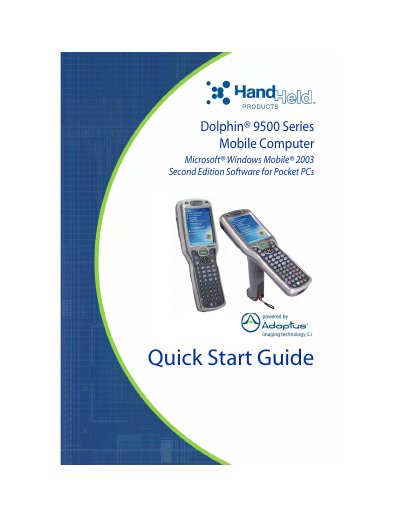
Hand Held Products Dolphin 9500 Series Mobile Computer Quick Start Guide
This document is a Quick Start Guide for the Hand Held Products Dolphin 9500 Series mobile computer, which runs on Microsoft Windows Mobile 2003 Second Edition. The guide covers four specific terminal models: the Dolphin 9500, 9550, 9501, and 9551, detailing their ergonomic designs and integrated scanning capabilities.
The guide provides step-by-step instructions for initial setup, including unpacking the carton, installing the main Li-ion battery pack, and charging the batteries for a minimum of four hours. It also explains how to initialize the terminal, navigate the Today Screen, and perform basic operations such as taking images and adjusting the backlight.
Datalogic Dolphin 9500 Series specifications
| Operating System | Microsoft Windows Mobile 2003 Second Edition |
|---|---|
| Battery Type | 7.4V, 14.8 watt hour Lithium-ion (Li-ion) |
| Backup Battery Duration | up to 30 minutes |
| Minimum Charge Time | four hours |
Source: Hand Held Products Dolphin 9500 Series Mobile Computer Quick Start Guide
All Datalogic Dolphin 9500 Series documents by type
The shortest path to a working setup, usually only a few pages.
Day-to-day operation, settings and troubleshooting. Start here if the product is already set up.
Questions answered in these manuals
What is the minimum charging time for the main battery?
The main battery pack must be charged for a minimum of four hours before initial use.
From: Hand Held Products Dolphin 9500 Series Mobile Computer Quick Start Guide
How long does the internal backup battery maintain data?
The internal backup battery maintains data and keeps the system clock running for up to 30 minutes when the main battery is removed.
From: Hand Held Products Dolphin 9500 Series Mobile Computer Quick Start Guide
What operating system does the Dolphin 9500 Series use?
It uses Microsoft Windows Mobile 2003 Second Edition Software for Pocket PC platform.
What are the memory configurations available?
Two configurations: 64 MB RAM & 32 MB Flash or 64 MB RAM & 64 MB Flash.