
Key facts
- Brand
- Datalogic
- Model
- GD4100
- Category
- Other Electronics
- Documents
- 2
- Languages
- EN
- Last added
- 2026-09-29
Start here
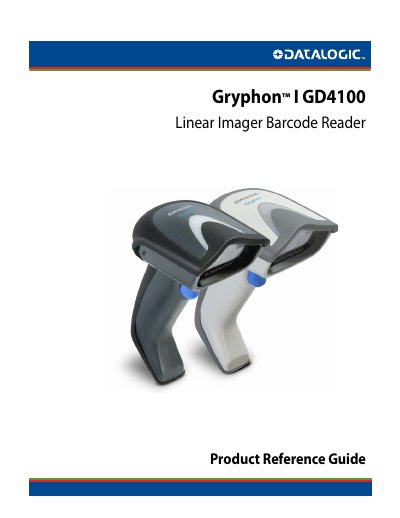
Datalogic Gryphon I GD4100 Linear Imager Barcode Reader Product Reference Guide
This document serves as a comprehensive product reference guide for the Datalogic Gryphon I GD4100 Linear Imager Barcode Reader. It provides detailed instructions on setting up the device, including unpacking, installing interface cables, and configuring various programming features.
The guide covers extensive configuration options for multiple interfaces, such as RS-232, USB-Suspend, Keyboard Wedge, USB-OEM, IBM 46XX, and Wand Emulation. It also details how to configure specific barcode symbologies (e.g., UPC-A, Code 39, EAN-13) and data editing features like prefixes, suffixes, and case conversion.
Datalogic GD4100 specifications
| Capture range | up to 1.0 m (3.9 ft) |
|---|---|
| Imager type | Linear Imager |
| Connections | USB, serial, wedge |
| Supported symbologies | 1D barcodes |
| Resolution | 5 mil |
| Warranty | 5 Year manufacturers warranty |
Source: Datalogic Gryphon GD4100 Barcode Scanner Product Catalog
All Datalogic GD4100 documents by type
Day-to-day operation, settings and troubleshooting. Start here if the product is already set up.
Questions answered in these manuals
What is the warranty period for the Gryphon GD4100?
The Gryphon GD4100 comes with a five‑year manufacturers warranty.
From: Datalogic Gryphon GD4100 Barcode Scanner Product Catalog
What scanning distance does the Gryphon GD4100 support?
It can capture barcodes from near contact up to over 1.0 m (3.9 ft).
From: Datalogic Gryphon GD4100 Barcode Scanner Product Catalog
What is the Datalogic Gryphon I GD4100?
It is a linear imager barcode reader.
From: Datalogic Gryphon I GD4100 Linear Imager Barcode Reader Product Reference Guide
What are the standard factory settings for RS-232 interfaces?
The manual lists specific baud rates, data bits, stop bits, and parity settings.
From: Datalogic Gryphon I GD4100 Linear Imager Barcode Reader Product Reference Guide