
Key facts
Start here
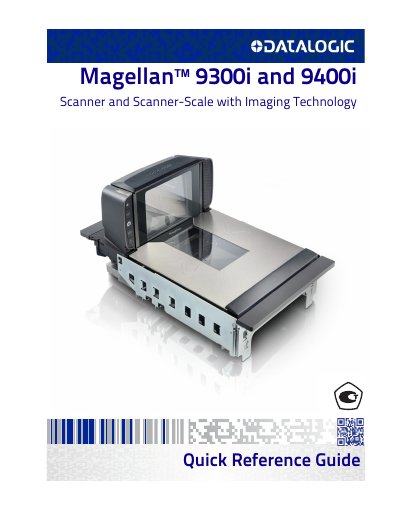
Datalogic Magellan 9300i/9400i Scanner and Scanner-Scale Quick Reference Guide
This document serves as a quick reference guide for the Datalogic Magellan 9300i and 9400i multi-plane imaging scanners and scanner-scales. It covers basic operation, including scanning items in any orientation and weighing items using the All-Weighs platter. The guide also details the use of optional features such as ScaleSentry and Electronic Article Surveillance (EAS) deactivation.
Read onlineDatalogic 9400i specifications
| Model | 9300i / 9400i |
|---|---|
| Product Type | Scanner and Scanner-Scale |
| Imaging Technology | Imaging |
All Datalogic 9400i documents by type
The shortest path to a working setup, usually only a few pages.
Questions answered in these manuals
What is the product name of the Datalogic Magellan 9300i / 9400i?
Magellan™ Scanner and Scanner-Scale with Imaging Technology.
What is the product name and its stated use?
The product is the Magellan™ 9300i / 9400i Scanner and Scanner-Scale with Imaging Technology, used for scanning and weighing.
How should items be moved through the scanner for best results?
Slide or push items through the scan zone in a right-to-left or left-to-right movement.
From: Datalogic Magellan 9300i/9400i Scanner and Scanner-Scale Quick Reference Guide
What cleaning agent should be used on the scanner's exterior surfaces?
Use a clean, lint-free cloth or paper towel dampened with a nonabrasive, mild, water-based window cleaner.
From: Datalogic Magellan 9300i/9400i Scanner and Scanner-Scale Quick Reference Guide
What is the operating temperature range?
The device operates between 10 and 40 °C.
From: Datalogic Magellan 9300i/9400i Barcode Scanner Product Leaflet
Does the scanner support 2D barcodes?
Yes, it supports Aztec Code, Data Matrix, QR Code, and Micro QR Code.
From: Datalogic Magellan 9300i/9400i Barcode Scanner Product Leaflet