
Key facts
- Brand
- Datalogic
- Model
- Magellan 1000i
- Category
- Industrial Supply
- Industry
- Industrial
- Documents
- 2
- Languages
- ZH · EN
- Last added
- 2026-09-28
Start here
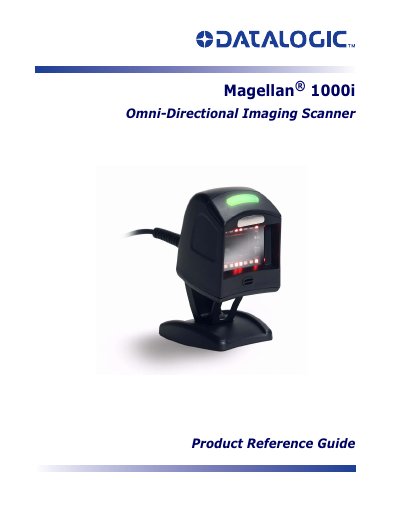
Datalogic Magellan 1000i Omni-Directional Imaging Scanner Product Reference Guide
The Datalogic Magellan 1000i Omni-Directional Imaging Scanner is designed for hands-free scanning of small items and handheld scanning of bulkier items. This Product Reference Guide provides advanced user information on connecting the scanner, programming features via barcodes, and utilizing LED and beeper indicators. It details how to reset standard defaults and manage error codes.
Read onlineDatalogic Magellan 1000i specifications
| Input Voltage | 5.0 VDC (±10%); 8.0‑14.0 VDC |
|---|---|
| Standby Current | < 300 mA |
| Operating Temperature | 0 °C to 40 °C (32 °F to 104 °F) |
| Storage Temperature | -40 °C to 70 °C (-40 °F to 158 °F) |
| Humidity (non‑condensing) | 5 % to 95 % |
| IP Rating | IP52 |
| Maximum Resolution | 0.130 mm (5 mils) |
| Maximum Scan Lines | 1,170 digital scan lines/sec |
| Supported Interfaces | IBM 46xx, OEM USB, RS‑232, RS‑485, USB, Wand |
Source: Datalogic Magellan 1000i Barcode Scanner Product Data Sheet
All Datalogic Magellan 1000i documents by type
Day-to-day operation, settings and troubleshooting. Start here if the product is already set up.
Questions answered in these manuals
What interfaces does the Magellan 1000i support?
It supports IBM 46xx, OEM (IBM) USB, RS‑232, RS‑485, USB, and Wand connections.
From: Datalogic Magellan 1000i Barcode Scanner Product Data Sheet
Does the Magellan 1000i have optional EAS (electronic article surveillance) features?
Yes, an optional EAS feature with Checkpoint system and built‑in hardware compatible with Counterpoint IV, V, VI, and VII is available.
From: Datalogic Magellan 1000i Barcode Scanner Product Data Sheet
What is the purpose of this manual?
This manual presents advanced user information which includes connection, programming, product and cable specifications, and other useful references.
From: Datalogic Magellan 1000i Omni-Directional Imaging Scanner Product Reference Guide
How can settings be changed?
Custom programming can be accomplished by scanning the bar codes in this guide.
From: Datalogic Magellan 1000i Omni-Directional Imaging Scanner Product Reference Guide