
Key facts
- Manuals
- 44
- Models
- 2
- Languages
- EN · ZH · IT
- Last added
- 2026-10-01
Datalogic models by category
Featured Datalogic manuals
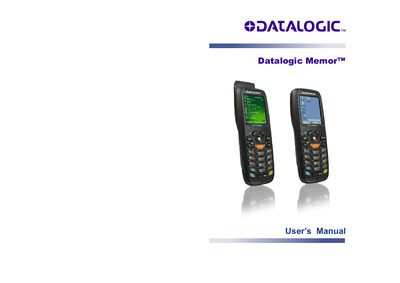
Datalogic Memor User Manual
The Datalogic Memor User Manual provides detailed instructions for installing, configuring, and using the Memor mobile computer. It includes sections on hardware overview, battery handling, connectivity options (USB, WLAN, Bluetooth, WWAN), and software setup for Windows Mobile and Windows CE.
Technical specifications, safety regulations, and compliance information are listed, along with a glossary and index for quick reference. The manual also describes the various model configurations and the accessories included in the package.
Covers: Introduction · Models Description · Package Contents · Batteries and Maintenance · Connections · Use and Functioning

Datalogic Gryphon GD4100 Barcode Scanner Product Catalog
This catalog from Supplyline ID presents a wide range of barcode scanners and readers, highlighting models from Datalogic such as the Gryphon GD4100, GM4400, GBT4400 and other product families. It includes product descriptions, technical data, and warranty details for each scanner.
The Gryphon GD4100 offers a capture range from near contact up to 1.0 m (3.9 ft), a wide scan angle, low‑resolution decoding for 3 mil labels, and Datalogic’s patented Green Spot visual feedback. It features a linear imager, USB/serial/wedge connections, 1‑D barcode support, 5 mil resolution, and a five‑year manufacturers warranty.
Covers: Barcode scanners & readers · Gryphon GD4100 · Gryphon GM4400 · Gryphon GBT4400 · QuickScan series · PowerScan series
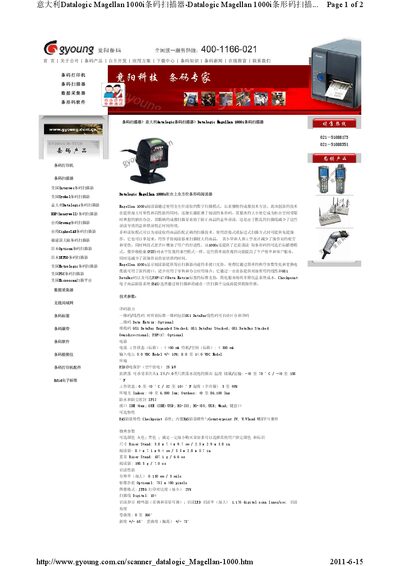
Datalogic Magellan 1000i Barcode Scanner Product Data Sheet
The Magellan 1000i is a countertop barcode imager that uses a full‑field digital scanning mode and unique imaging technology to read difficult codes with high reliability. Its compact, ergonomic design reduces operator fatigue and can be used hands‑free or handheld, with optional close‑range targeting for price‑lookup items.
Technical specifications include a 5 VDC input (8‑14 VDC range), < 400 mA working current, IP52 protection, and operation from 0 °C to 40 °C. The scanner supports multiple interfaces (IBM 46xx, OEM USB, RS‑232, RS‑485, USB, Wand) and offers optional EAS functionality compatible with Checkpoint and Counterpoint systems. Dimensions are 5.8 × 7.4 × 9.7 cm for the stand and 8.4 × 7.1 × 9.4 cm for the reader, weighing 198.5 g. This manual is written in Chinese.
Covers: Technical Specifications · Read Performance · Interfaces · Physical Parameters · Safety and Regulations · Scanning Range
Datalogic SR21-IR / SR21-RG Photoelectric Infrared Sensor User Manual
This manual describes the operation of the SR21-IR and SR21-RG photoelectric infrared sensors, including the meaning of the status LEDs, the AUTO‑SET button functions, and the mechanical features such as the M8 connector and IP65 protection. It also details the two configuration modes – static (manual) and dynamic – and how to switch between normal and inverted output.
Technical data such as power supply requirements, response time, output current limits, and emission characteristics are listed, together with instructions for mounting, wiring, and locking the sensor's button to prevent accidental changes. This manual is written in Italian.
Covers: CONTROLLI · LED DI USCITA (GIALLO) · LED READY/ERROR · TASTO AUTO‑SET · DIMENSIONI D'INGOMBRO · CONNESSIONI
Latest Datalogic manuals
Datalogic Memor User Manual
User Manual 124 pages · 2.7 MB · ENUser manual for the Datalogic Memor mobile computer covering setup, operation, maintenance and technical specifications.
Datalogic Gryphon GD4100 Barcode Scanner Product Catalog
Product Leaflet 100 pages · 5.3 MB · ENThe Datalogic Gryphon GD4100 barcode scanner catalog provides specifications, features, and warranty information for this high‑performance reader.
Datalogic Magellan 1000i Barcode Scanner Product Data Sheet
Product Leaflet 2 pages · 336 KB · ZHThe Datalogic Magellan 1000i barcode scanner is a compact countertop imager with multi‑interface support and optional EAS features.
Datalogic SR21-IR / SR21-RG Photoelectric Infrared Sensor User Manual
User Manual 1 pages · 81 KB · ITThe Datalogic SR21-IR / SR21-RG photoelectric infrared sensor user manual provides installation, wiring, configuration, and troubleshooting instructions.
DATALOGIC Industrial PDA with Windows CE quick User Guide
DATALOGIC F734-E Series Terminals user manual
This document is the user manual for the F734-E series terminals, describing the features and characteristics of the terminals.
DATALOGIC Single Slot Dock Ethernet Module Manual
This document introduces the use of Datalogic Single Slot Dock Ethernet Module.
DATALOGIC Elf user manual
Introduces the features of Elf™, including package contents, inserting a Micro SD card, installing a SIM card, batteries and maintenance, connections, and using applications.
DATALOGIC Kyman-NET Vehicle Cradle Manual
Introduces the Kyman-NET™ vehicle cradle features, including electrical, communication, environmental and mechanical features
DATALOGIC Kyman Ethernet Multi Cradle Manual
The Datalogic Kyman™ Ethernet Multi Cradle is a member of the Datalogic Kyman™ series, which provides power for charging up to four mobile computers simultaneously and also connects up to four mobile computers to an Ethernet network.
DATALOGIC Kyman user manual
Kyman™ is a mobile device produced by Datalogic Mobile S.r.l., featuring Bluetooth approval and laser safety.
DATALOGIC Skorpio Single Cradle Ethernet Manual
Datalogic Skorpio™ Single Cradle Ethernet is both a USB and an Ethernet communication adapter between the host computer and the Datalogic Skorpio™ mobile computer. It also functions as a battery charger, both for the mobile computer and the spare battery pack.
DATALOGIC Skorpio Ethernet Multi Cradle Manual
The Datalogic Skorpio™ Ethernet Multi Cradle is a multi-function charging cradle that provides power for up to four mobile computers simultaneously and also connects up to four mobile computers to an Ethernet network.
DATALOGIC Skorpio/Skorpio-GUN Manual
Skorpio™/Skorpio-GUNTM is a mobile device manufactured by Datalogic Mobile S.r.l. This document provides the user's manual for Skorpio™ and Skorpio-GUN™, including software version, safety regulations, and features.
DATALOGIC J Series Vehicle Cradle Manual
This document describes the technical features of the Datalogic J Series™ Vehicle Cradle, including electrical features, communication features, environmental features and mechanical features.
Which document do I need?
User Manual
Day-to-day operation, settings and troubleshooting. Start here if the product is already set up.
Questions answered in Datalogic manuals
How do I insert a Micro SD card into the Memor?
Refer to section 1.4 "Inserting a Micro SD Card" for step‑by‑step instructions.
What are the physical dimensions of the Datalogic Memor?
The Memor measures 15.2 × 5.5 × 4.0 cm for batch models and 16.5 × 5.5 × 4.0 cm for EDGE models.
What is the warranty period for the Gryphon GD4100?
The Gryphon GD4100 comes with a five‑year manufacturers warranty.
From: Datalogic Gryphon GD4100 Barcode Scanner Product Catalog
What scanning distance does the Gryphon GD4100 support?
It can capture barcodes from near contact up to over 1.0 m (3.9 ft).
From: Datalogic Gryphon GD4100 Barcode Scanner Product Catalog
What interfaces does the Magellan 1000i support?
It supports IBM 46xx, OEM (IBM) USB, RS‑232, RS‑485, USB, and Wand connections.
From: Datalogic Magellan 1000i Barcode Scanner Product Data Sheet
Does the Magellan 1000i have optional EAS (electronic article surveillance) features?
Yes, an optional EAS feature with Checkpoint system and built‑in hardware compatible with Counterpoint IV, V, VI, and VII is available.
From: Datalogic Magellan 1000i Barcode Scanner Product Data Sheet