
Key facts
- Brand
- Datalogic
- Model
- Magellan 8500
- Category
- Other Electronics
- Industry
- Industrial
- Documents
- 2
- Languages
- ZH · EN
- Last added
- 2026-10-12
Start here
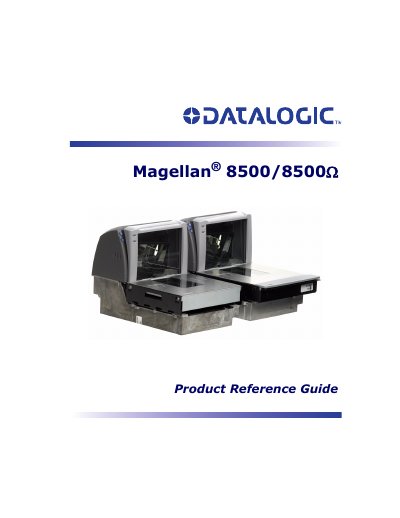
Datalogic Magellan 8500/8500Q Product Reference Guide
The Datalogic Magellan 8500/8500Q is a combined scanner and weighing scale designed for retail checkstands. This Product Reference Guide covers site preparation, installation procedures, and operational verification to ensure the device functions correctly before use.
The manual details proper scanning and weighing techniques, including how to operate various modes such as Normal Operation, Sleep Mode, and Diagnostic Mode. It also explains how to perform maintenance tasks like replacing scan windows and conducting calibration sequences for both pounds and kilograms.
Datalogic Magellan 8500 specifications
| Scanning Technology | SurroundScan 3D Scanning |
|---|---|
| Scanning Sides | Six sides (bottom, top, and four other sides) |
| Operating Modes | Push, Shake |
| Power Supply | External Multi-Channel DC Power |
| Operating Temperature | 10°C to 40°C |
| Operating Humidity | 0 to 95% (non-condensing) |
| Laser Safety Class | IIa Class |
| Standard Communication Cable Length | 4 meters |
Source: Datalogic Magellan 8500 Barcode Scanner Product Leaflet
All Datalogic Magellan 8500 documents by type
Day-to-day operation, settings and troubleshooting. Start here if the product is already set up.
Questions answered in these manuals
What technology does the Magellan 8500 use?
It uses PSC's latest SurroundScan technology to scan all six sides of an object.
From: Datalogic Magellan 8500 Barcode Scanner Product Leaflet
What are the operating modes of the scanner?
The scanner supports push and shake operating modes.
From: Datalogic Magellan 8500 Barcode Scanner Product Leaflet
What is the maximum static weight the scale can handle before an overload occurs?
The maximum static weight, or overload, is 150 pounds.
How long does the scanner take to reach thermal equilibrium after being turned on?
The scanner requires a warm-up time of 30 seconds to reach thermal equilibrium.