
The Dell Latitude 3180 Quick Start Guide provides information on how to set up and use the Dell Latitude 3180 laptop.
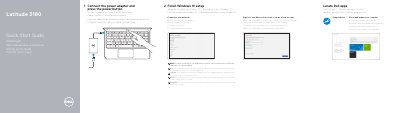
This Quick Start Guide walks new owners of the Dell Latitude 3180 through the first steps after unboxing: connecting the power adapter and pressing the power button, finishing Windows 10 setup, signing in to a Microsoft account or creating a local account, and connecting to a network. It notes that the wireless network password must be entered when connecting to a secured wireless network.
The guide also shows how to locate Dell apps and use SupportAssist to check and update the computer, lists support and contact resources at Dell.com/support, Dell.com/support/manuals and Dell.com/contactdell, and points to regulatory and safety information at Dell.com/regulatory_compliance. A numbered features diagram identifies the camera, power button, Noble wedge lock slot, USB 3.0 ports (one with PowerShare), HDMI port, microSD card reader, power connector port and service tag label. The document is printed in English, Dutch, Polish, Romanian and Slovenian.
| Ports | Two USB 3.0 ports (one with PowerShare), HDMI port, microSD card reader, universal audio jack, power connector port |
|---|
Connect the power adapter and press the power button, then finish the Windows 10 setup.
Enter the password for the wireless network access when prompted.
Use the Dell SupportAssist app to check and update your computer.