
User manual for Dell computers.
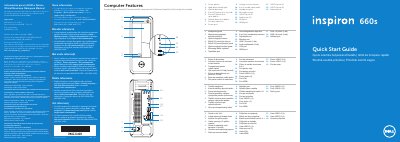
This multilingual quick start guide is for the Dell Inspiron 660s computer. It identifies front and rear ports and controls, including USB, audio, VGA, HDMI, and network connections.
The guide covers connecting power, keyboard, mouse, display, and an optional network cable, then pressing the power button and completing Windows setup. It also reminds users to record the Service Tag and Windows password and provides Dell support contact information.
| Input voltage | 100-127 V AC / 200-240 V AC |
|---|---|
| Input frequency | 50 Hz / 60 Hz |
| Input current | 6 A / 3 A |
| Regulatory model | D06S |
| Type | D06S001 |
| Computer model | Inspiron 660s |
| Front USB 2.0 ports | 2 |
| USB 3.0 ports | 2 |
| Rear USB 2.0 ports | 4 |
| Audio ports | 3 |
| Media card reader | 8-in-1 |
Click Start → All Programs → Dell Help Documentation or visit support.dell.com/manuals.
Go to dell.com/ContactDell; customers in the United States can call 800-WWW-DELL (800-999-3355).
Do not use the @ symbol in your password.
The regulatory model is D06S.