
Inspiron 15-5558 Laptop User Guide
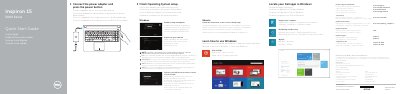
Dell Inspiron 15-5558 Quick Start Guide is a multilingual quick start document for the Inspiron 15-5558 laptop. It shows how to connect the power adapter, press the power button, and finish operating system setup, and it lists product features and shortcut keys.
The guide also includes regulatory and safety information, support and manual links, and selected power adapter specifications. It notes that the left microphone and network port are available only on the Inspiron 15-5558.
| Input voltage | 100 V AC–240 V AC |
|---|---|
| Input frequency | 50 Hz–60 Hz |
| Input current | 1,30 A/1,60 A/1,70 A |
| Output voltage | 19,50 V DC |
| Output current | 2,31 A/3,34 A |
Follow the instructions on the screen to finish setup.
See Specifications at dell.com/support.
The left microphone and network port are only on the Inspiron 15-5558.